Finding the best bluetooth car scanner is less about choosing the gadget with the longest feature list and more about matching the scanner to your vehicle, phone, and diagnostic goals. A basic code reader may be enough for a check-engine light, while a more advanced app-connected tool can provide maintenance reminders, live data, or access to additional vehicle systems.
My first choice is FIXD Bluetooth OBD2 Scanner Car Diagnostic Check Engine Code Reader. Its wireless design, unlimited scans, multi-vehicle management, maintenance reminders, and optional premium insights make it especially approachable for everyday drivers.
My second choice is Veepeak Obdcheck BLE Bluetooth OBD II Scanner. It works with several popular third-party apps, reads standard trouble codes and live data, and supports both iPhone and Android, although app compatibility and advanced functions require careful checking.
My third choice is UMEIJA V011 Bluetooth 5.4 OBD2 Scanner. UMEIJA V011 Bluetooth 5.4 OBD2 Scanner earns my third-place recommendation for its newer Bluetooth connection, dedicated app, visual data displays, and broad claimed vehicle coverage. It is a sensible choice for someone who wants simple charts and basic diagnostics without moving to a wired handheld scanner.
This guide compares all five selections, explains their useful differences, and covers compatibility, setup, code clearing, live data, app selection, common mistakes, and ownership tips. The goal is to help you identify the right level of diagnostic capability before buying.
Best Bluetooth Car Scanner
I selected these products for their relevance to phone-based vehicle diagnostics, the usefulness of their supplied features, compatibility information, and available customer-feedback evidence. I also included different approaches: app-guided ownership, flexible third-party software, a newer budget-style Bluetooth design, a traditional wired reader, and enhanced system diagnostics.
| # | Image | Product | Price on Amazon |
|---|---|---|---|
| 1 |  |
FIXD Bluetooth OBD2 Scanner Car Diagnostic Check Engine Code Reader | Check Price |
| 2 | 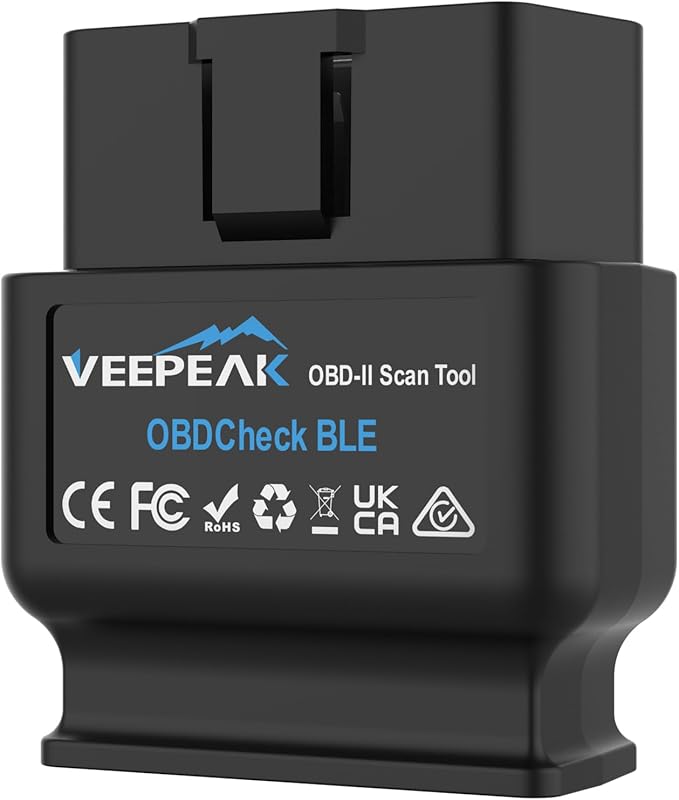 |
Veepeak Obdcheck BLE Bluetooth OBD II Scanner | Check Price |
| 3 |  |
UMEIJA V011 Bluetooth 5.4 OBD2 Scanner | Check Price |
| 4 |  |
ANCEL AD310 Classic Enhanced Universal OBD II Scanner | Check Price |
| 5 |  |
BlueDriver Bluetooth OBD2 Scanner | Check Price |
FIXD Bluetooth OBD2 Scanner Car Diagnostic Check Engine Code Reader
FIXD stands out by translating diagnostic information into language that is easier for a new car owner to understand. Instead of forcing you to interpret an unfamiliar trouble-code description, its app is intended to explain possible issues and help you decide whether a warning deserves immediate attention or further investigation.
The scanner supports more than 39,000 issues across thousands of vehicles and can read gasoline and hybrid vehicles from 1996 onward, along with diesel vehicles from 2006 onward. That makes it a practical garage tool for families with several cars, particularly because one app can save scans by vehicle, track mileage-based reminders, and share information with a household member or repair shop.
Wireless phone connectivity keeps the sensor unobtrusive under the dashboard. The free app supports unlimited scans, while an included premium trial can add repair recommendations, cost estimates, vehicle-value information, and live mechanic support. Premium features are optional, so buyers should understand that the core and advanced experiences are not identical.
Pros
- Explains many diagnostic issues in beginner-friendly language.
- Supports multiple vehicles in one app.
- Works with iPhone and Android through Bluetooth.
- Includes maintenance reminders and unlimited scans.
Cons
- Some advanced insights require an optional premium upgrade.
- Features can vary by vehicle make and model.
- It is not a guarantee that every mechanical problem will be identified.
My Opinion
FIXD is the strongest all-around pick for drivers who want guidance rather than raw data. Before buying, confirm your vehicle’s year, fuel type, and supported functions, then treat the app’s explanations as a starting point for diagnosis rather than a substitute for a proper repair inspection.
Veepeak Obdcheck BLE Bluetooth OBD II Scanner
The Veepeak OBDCheck BLE takes a more flexible approach than a scanner tied to one dedicated software experience. It connects through Bluetooth Low Energy to iPhone and Android devices and can also use classic Bluetooth with Android phones. The important distinction is that the scanner requires a compatible third-party app, so the final experience depends heavily on the app you select.
For standard OBD-II work, it can read and clear check-engine trouble codes, display freeze-frame information, show emissions-readiness status, and provide live sensor data. Those tools are useful when checking why a warning light appeared, preparing for an emissions inspection, or watching values such as engine-related sensor readings while troubleshooting.
Veepeak lists compatibility with apps such as Car Scanner ELM OBD2, Torque, and OBD Fusion, along with certain vehicle-specific apps. Some apps and functions cost extra, and advanced access to ABS, SRS, transmission, or manufacturer-specific data depends on both the vehicle and software. It is not a full-system scanner by itself.
Pros
- Supports popular third-party diagnostic apps.
- Offers code reading, code clearing, freeze-frame data, and live data.
- Works with iOS and Android through supported Bluetooth modes.
- Useful for buyers who want software flexibility.
Cons
- Requires a separate compatible app.
- Advanced functions are vehicle- and app-dependent.
- Not compatible with every popular vehicle-specific app.
- Android head units may not be supported.
My Opinion
Veepeak is a good fit for an informed buyer who is willing to choose software carefully. Check the exact app, vehicle, model year, and desired module support before purchase; standard engine diagnostics are the safest expectation, while specialized functions should never be assumed.
UMEIJA V011 Bluetooth 5.4 OBD2 Scanner
The UMEIJA V011 focuses on making diagnostic information visually approachable. Its dedicated app presents readings in charts, including engine coolant temperature, engine speed, vehicle speed, and control-module voltage. For a beginner, visual trends can be easier to understand than a screen filled with isolated numbers.
It supports fast trouble-code reading, emissions-readiness information, check-engine-light or malfunction-indicator-light clearing, and nine OBD2 protocols. The scanner uses Bluetooth 5.4, which is intended to provide a quick and reliable wireless connection once the vehicle is powered on and the scanner is correctly inserted.
UMEIJA states that the V011 supports more than 96% of car makes and models and names many major brands, including Toyota, Honda, Ford, Chevrolet, BMW, Mercedes-Benz, Volkswagen, Subaru, and Lexus. That broad statement should still be verified against the individual vehicle. The included dedicated app is available for Apple and Android devices, and 24-hour troubleshooting email support is supplied.
Pros
- Uses Bluetooth 5.4 for wireless phone connectivity.
- Displays selected vehicle data in readable charts.
- Supports code reading, clearing, and emissions-readiness checks.
- Includes a dedicated app for iOS and Android.
Cons
- Vehicle-specific capabilities may differ from the broad compatibility claim.
- Its app ecosystem is less flexible than a multi-app adapter.
- Basic OBD2 functions should not be confused with complete vehicle-system scanning.
My Opinion
The V011 is most appealing to beginners who value a modern wireless connection and simple visual displays. Download the correct app before installation, power the vehicle as instructed, and confirm supported functions for your specific model instead of assuming that every listed brand receives identical coverage.
ANCEL AD310 Classic Enhanced Universal OBD II Scanner
The ANCEL AD310 differs from the other selections because it is a wired handheld scanner rather than a Bluetooth adapter. That means no phone pairing, app download, or wireless connection troubleshooting. Plug it into the vehicle’s OBDII port, use the built-in controls, and read the available engine-related information directly from the device.
It supports common OBDII protocols, including KWP2000, J1850 VPW, ISO9141, J1850 PWM, and CAN. The listed vehicle coverage includes 1996 and newer US vehicles, 2000 and newer European and Asian vehicles, light trucks, and SUVs. Its 2.5-foot cable gives some working reach, while the compact housing is practical for keeping in a garage kit or travel bag.
AD310 can read and clear emission-related trouble codes, show live data, and help determine why a check-engine light is on. However, its limitation is important: it only diagnoses emission-related issues through the OBDII interface. It cannot handle every engine fault, ABS, SRS, transmission, or other non-emissions module.
Pros
- Does not require a smartphone, Bluetooth, or an app.
- Supports major OBDII communication protocols.
- Reads and clears supported engine-emissions codes quickly.
- Compact design and thick, flexible cable suit travel or home use.
Cons
- It is not wireless.
- Limited to emission-related OBDII diagnosis.
- Cannot replace a scanner for ABS, airbag, transmission, or other modules.
- Older non-OBDII vehicles are not supported with an adapter alone.
My Opinion
Choose the AD310 when simplicity and independence from a phone matter more than Bluetooth convenience. It is a practical basic code reader, but buyers needing airbag, ABS, transmission, or broader system access should move to a more capable tool.
BlueDriver Bluetooth OBD2 Scanner
BlueDriver is aimed at drivers who want more than basic engine-code access without buying a bulky professional handheld unit. Its Bluetooth sensor connects to a phone or tablet, while the app can read and clear enhanced diagnostics for systems such as check engine, ABS, SRS or airbag, TPMS, and transmission when supported by the vehicle.
The app also provides real-time data, freeze-frame information, smog-readiness checks, and Mode 6 test data. Its technician-verified repair reports are matched to the vehicle identification number and can include definitions, likely causes, and confirmed fixes. That context may be valuable when deciding whether a warning is suitable for a DIY investigation or needs a shop’s attention.
BlueDriver lists strong support for brands including GM, Ford, Stellantis, Toyota, Honda, Nissan, Mazda, Subaru, Hyundai, Mercedes-Benz, BMW, and Volkswagen. It supports gas-powered vehicles from 1996 onward sold in the United States, Canada, and Mexico. Even with its broader functions, coverage varies by vehicle, so the manufacturer’s compatibility information should be checked before purchase.
Pros
- Reads more system types than a basic engine-only code reader.
- Provides VIN-matched repair reports and live vehicle data.
- Has no subscription requirement listed for its core ownership model.
- Connects wirelessly to a phone or tablet.
Cons
- Enhanced system access varies by make and model.
- Listed compatibility focuses on gas vehicles sold in North America.
- Requires a phone or tablet for operation.
- Advanced coverage should not be assumed for every warning light.
My Opinion
BlueDriver is the best choice here for buyers who specifically want enhanced diagnostics and VIN-based repair information. Verify your exact vehicle in the coverage chart first, especially if you need ABS, SRS, TPMS, or transmission access rather than ordinary check-engine functions.
How I Selected These Bluetooth OBD2 Scanners
The selection balances usefulness, ease of ownership, connectivity, and diagnostic range. FIXD receives the top position because its app-guided explanations and multi-vehicle features make it approachable for ordinary drivers. Veepeak follows because its hardware can work with several apps, giving experienced users more control. UMEIJA adds a newer Bluetooth option with visual data, while ANCEL represents buyers who prefer a dependable wired interface. BlueDriver rounds out the list with enhanced system coverage and technician-verified repair information.
Customer-feedback volume was also considered as supporting evidence, not as the only measure of quality. A high number of customer ratings can show that a product has broad market use, but it cannot prove compatibility with every vehicle or guarantee a particular diagnostic result.
OBD2 compatibility does not mean identical capability across every vehicle. Always separate basic engine-emissions functions from enhanced ABS, SRS, TPMS, transmission, and manufacturer-specific access.
The most useful scanner is the one that explains information in a way you can act on. A simple app can be more valuable to a new owner than a technically broader tool that requires extensive software research.
How to Choose a Bluetooth Car Diagnostic Scanner
Start with the warning light or task you need to handle. A check-engine light and emissions check usually require standard OBD-II functions, while airbag, ABS, transmission, and TPMS work may require enhanced coverage. Then match the scanner to your phone, operating system, vehicle year, fuel type, and preferred app style.
- Confirm the scanner supports your vehicle’s year, fuel type, market, and OBDII connection.
- Decide whether you prefer a dedicated app, several third-party apps, or no phone at all.
- Check whether you need engine-only diagnosis or enhanced system access.
- Look for live data, freeze-frame records, readiness checks, or repair explanations that match your goals.
- Read limitations carefully before paying for vehicle-specific app functions.
Basic Versus Enhanced Diagnostics
Standard OBD-II functions generally center on emission-related engine faults. They may include reading and clearing diagnostic trouble codes, viewing freeze-frame data, monitoring live sensors, and checking emissions readiness. These capabilities are useful for understanding a check-engine light but do not automatically provide access to every electronic control module.
Enhanced diagnostics can reach systems such as ABS, SRS, TPMS, or transmission modules, but support is not universal. BlueDriver lists broader system access, and Veepeak can work with certain vehicle-specific apps, yet both still require model-specific confirmation. Do not buy a scanner solely because a product title names a system you need.
Phone, App, and Connection Requirements
Bluetooth scanners depend on the phone and app as much as the physical adapter. iPhone users should check for Bluetooth Low Energy support and follow the app’s connection process rather than pairing from the phone’s ordinary Bluetooth menu unless the instructions say otherwise. Android users may have additional Bluetooth modes, but Android head units are not automatically supported.
A dedicated app can reduce setup decisions, while a third-party app can offer more customization and vehicle-specific choices. Some software features may require separate purchases. If you dislike troubleshooting phone connections, the wired ANCEL AD310 may be a better fit even though it offers fewer diagnostic categories.
Check Compatibility Before Ordering
Most products on this list target OBD2 vehicles, but the exact cutoff depends on location and fuel type. FIXD lists gasoline and hybrid vehicles from 1996 onward and diesel vehicles from 2006 onward. ANCEL gives different year guidance for US, European, and Asian vehicles. BlueDriver focuses on gas vehicles from 1996 onward sold in North America.
Look for the OBDII port inside the cabin, commonly beneath the dashboard near the steering column, but do not assume its presence proves full compatibility. An adapter cannot turn an older OBDI vehicle into a genuine OBDII vehicle. Electric and plug-in hybrid support can also be app-dependent, as Veepeak specifically notes.
What to Verify
- Vehicle model year and regional market.
- Gasoline, hybrid, diesel, or electric powertrain.
- Whether the desired scanner supports your phone’s operating system.
- Whether your required module is engine, ABS, SRS, TPMS, or transmission.
- Whether the selected app supports your exact model year.
How to Set Up a Bluetooth OBD2 Scanner
Park safely before connecting anything. Turn the vehicle off unless the instructions call for the ignition to be switched on, locate the OBDII port, and insert the adapter firmly without forcing it. Start or power on the vehicle as directed, open the compatible app, choose the correct connection type, and allow the app to identify the vehicle.
Bluetooth adapters often remain powered whenever the vehicle is on, and some may continue drawing power while plugged in after the vehicle is parked. If the instructions do not specifically support permanent installation, unplug the adapter during extended storage or when troubleshooting an unusual battery drain.
First Connection Checklist
- Download the correct app from the supplied instructions or official product source.
- Confirm the phone has Bluetooth enabled.
- Insert the scanner into the OBDII port completely.
- Turn the ignition or vehicle power on as directed.
- Select the adapter inside the app, not necessarily in the phone’s system Bluetooth menu.
- Record existing codes before clearing anything.
How to Use Codes and Live Data Effectively
A trouble code identifies a system or condition; it does not always identify the failed part. For example, a sensor-related code can result from wiring, a connector, a vacuum problem, or another condition affecting the reading. Use the code description, freeze-frame information, and visible symptoms together before ordering parts.
Live data is most useful when viewed as a trend or compared with operating conditions. Note whether the engine is cold or warm, idling or moving, and under light or heavy load. Saving the scan or sharing it with a mechanic can provide a clearer starting point than simply saying that a warning light appeared.
When to Clear a Code
Clear a code only after recording it and understanding why you are doing so. Clearing can erase useful freeze-frame information and may reset emissions monitors, meaning the vehicle may not immediately be ready for an inspection. After a repair, drive normally and rescan to determine whether the issue returns.
Emissions Readiness and Inspection Preparation
Readiness monitors help indicate whether the vehicle’s emissions systems have completed their self-checks. Clearing codes, disconnecting the battery, or certain repairs can reset these monitors. A scanner can show readiness status, but it cannot force a monitor to complete instantly.
If an inspection is approaching, check readiness well in advance. Follow the vehicle maker’s drive-cycle guidance when necessary, and avoid repeatedly clearing the check-engine light simply to make it disappear. A vehicle can have the light off while still showing incomplete monitors.
Common Mistakes to Avoid with Bluetooth Scanners
Most ownership problems come from incorrect expectations, poor app selection, or clearing information too soon. A scanner is an information tool, not a universal repair device, and wireless convenience does not remove the need for safe troubleshooting.
- Do not assume every OBD2 scanner can read ABS, airbag, TPMS, or transmission codes.
- Do not clear a warning before saving the original code and freeze-frame data.
- Do not choose an app without checking your vehicle and model year.
- Do not pair a Bluetooth LE adapter through the wrong connection method.
- Do not leave an adapter plugged in for long periods without checking power behavior.
- Do not treat a code as proof that the named component must be replaced.
- Do not drive normally if the vehicle has severe symptoms, unsafe handling, smoke, overheating, or a flashing warning light.
A scanner can narrow the search, but it cannot inspect every mechanical, wiring, or safety problem. Escalate serious symptoms to a qualified repair professional.
Keeping the Adapter and App Reliable
Store a removable adapter where it will not be crushed, exposed to moisture, or left in extreme heat. Keep the OBDII connector clean and insert it straight. Do not pull a scanner out by yanking its housing or phone connection; disconnect it carefully from the vehicle port.
Keep the app updated when updates are available, but note any changes to supported vehicles or paid functions. If a connection fails, close other diagnostic apps, confirm the correct Bluetooth mode, restart the phone, and check that the vehicle is powered on. Testing one change at a time makes troubleshooting easier.
When to Replace a Scanner
Consider replacement if the adapter repeatedly disconnects with different phones and vehicles, shows physical damage, or no longer powers on at the port. Before assuming the scanner failed, test the vehicle port with another compatible device or check whether a fuse, phone permission, or app setting is responsible.
Choosing Between a Dedicated App and a Wired Reader
A dedicated app is usually the easiest route for explanations, reminders, and wireless access. FIXD and UMEIJA are attractive to beginners who want information organized on a phone. A flexible adapter such as Veepeak suits someone willing to compare apps and possibly pay for specialized software.
The ANCEL AD310 is the straightforward alternative. It avoids phone batteries, app accounts, wireless pairing, and software compatibility, but its engine-emissions focus is narrower. BlueDriver occupies the advanced app-connected position for buyers who want more system coverage and repair-report context.
FAQS About Best Bluetooth Car Scanner
What is the best Bluetooth car scanner for a beginner?
FIXD is the strongest beginner-oriented choice in this group because its app explains many issues in simpler language, supports unlimited scans, and can track multiple vehicles and maintenance reminders. Confirm the vehicle’s compatibility and understand that optional premium features may add capabilities beyond the free app.
Can a Bluetooth car scanner clear a check-engine light?
Yes, the listed scanners support code clearing in their stated functions, including FIXD, Veepeak, UMEIJA, ANCEL, and BlueDriver. Record the code first, because clearing it may remove freeze-frame information and reset emissions-readiness monitors.
Will a Bluetooth scanner read ABS and airbag codes?
Not necessarily. Basic OBD2 scanners generally focus on emission-related engine codes. BlueDriver offers enhanced access to ABS and SRS on supported vehicles, while Veepeak may access additional systems through specific apps and vehicle combinations. Verify exact coverage before buying.
Do Bluetooth OBD2 scanners work with iPhone and Android?
Several selections support both platforms, including FIXD, Veepeak, and UMEIJA. Connection steps differ, especially for Bluetooth Low Energy adapters. Use the scanner’s compatible app and follow its connection instructions instead of assuming ordinary Bluetooth pairing will work.
Can a Bluetooth scanner diagnose every car problem?
No. A scanner can read electronic diagnostic information supported by the vehicle and software, but it cannot identify every mechanical, wiring, fluid, battery, tire, or safety problem. A code should guide further diagnosis rather than automatically determine which part to replace.
Is the wired ANCEL AD310 better than a Bluetooth scanner?
It is better for someone who wants a simple handheld tool without a phone or app. It is not better for enhanced system access or wireless convenience. The AD310 is limited to supported emission-related OBDII diagnosis, so the right choice depends on the task.
Final Thoughts
The best bluetooth car scanner for most beginners is the FIXD Bluetooth OBD2 Scanner Car Diagnostic Check Engine Code Reader, thanks to its approachable app and multi-vehicle tools. Choose the Veepeak OBDCheck BLE Bluetooth OBD II Scanner for third-party app flexibility, or the UMEIJA V011 Bluetooth 5.4 OBD2 Scanner for visual data and a newer wireless connection. Check vehicle-specific coverage carefully before ordering, especially when you need more than basic check-engine diagnostics.