Finding the best car scan tool is not simply a matter of choosing the device with the longest feature list. The right choice depends on your vehicle’s model year, the warning lights you need to diagnose, how much live data you want to see, and whether you need basic code reading or advanced service functions.
My first choice is ANCEL AD310 Classic Enhanced Universal OBD II Scanner Car Engine Fault Code. It reads and clears emission-related trouble codes, supports the major OBD II protocols, and draws power directly from the vehicle.
My second choice is MOTOPOWER MP69033 Car OBD2 Scanner Code Reader Engine Fault Scanner CAN Diagnostic. Its large 2.8-inch display, six-language support, and long cable make it a practical choice for routine check-engine-light diagnosis.
My third choice is Innova 5210 OBD2 Scanner & Engine Code Reader. Coverage varies by vehicle, especially for ABS functions, so checking compatibility before purchase is important.
This guide compares all five tools, explains their strengths and limitations, and then covers compatibility, setup, live data, service resets, maintenance, troubleshooting, and common buying mistakes. The goal is to help a first-time buyer match the scanner’s actual capabilities with the work they expect to do.
Best Car Scan Tool
I selected these products for their direct relevance to home vehicle diagnosis, useful differences in capability, available customer-feedback evidence, and clear compatibility information. The group includes simple corded code readers, a battery-testing model, and more advanced scanners with all-system diagnostics, service resets, and active tests, giving buyers several meaningful price-and-capability categories to compare.
| # | Image | Product | Price on Amazon |
|---|---|---|---|
| 1 |  |
ANCEL AD310 Classic Enhanced Universal OBD II Scanner Car Engine Fault Code | Check Price |
| 2 |  |
MOTOPOWER MP69033 Car OBD2 Scanner Code Reader Engine Fault Scanner CAN Diagnostic | Check Price |
| 3 |  |
Innova 5210 OBD2 Scanner & Engine Code Reader | Check Price |
| 4 | 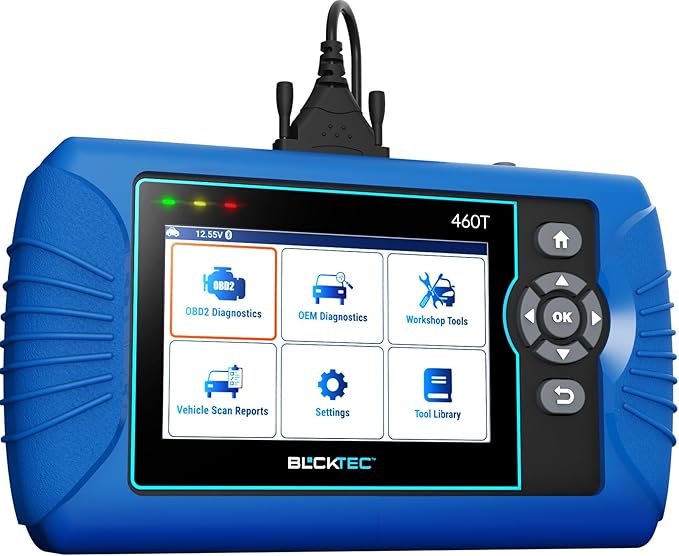 |
BLCKTEC 460T OBD2 Scanner Car Code Reader Engine ABS SRS Transmission Diagnostic | Check Price |
| 5 |  |
thinkcar THINKSCAN 662 OBD2 Scanner | Check Price |
ANCEL AD310 Classic Enhanced Universal OBD II Scanner Car Engine Fault Code
The ANCEL AD310 is a strong fit for someone who mainly wants to understand a check-engine light without navigating a complicated touchscreen interface. It reads and clears emission-related diagnostic trouble codes and can display live data, helping a driver decide whether a problem needs immediate attention or further diagnosis.
Compatibility is one of its biggest advantages. The scanner supports KWP2000, J1850 VPW, ISO9141, J1850 PWM, and CAN protocols, with stated coverage for many 1996-and-newer US vehicles and many 2000-and-newer European and Asian vehicles. It also works with light trucks and SUVs that use the OBD II interface.
A 2.5-foot cable gives reasonable reach under the dashboard, while the thick insulation and compact 12-ounce body make it convenient to keep in a glove box or travel bag. Because it receives power from the vehicle, there is no separate battery or charger to maintain. That simplicity is useful for occasional emergency checks.
The important limitation is scope. The AD310 is for OBD II emission-related diagnosis and does not handle ABS, SRS, transmission, or other non-emission systems. It also cannot diagnose an OBD I vehicle, even with an adapter. After repairs, clear codes only when the underlying fault has been addressed, since erasing them does not fix the cause.
Pros
- Supports the major OBD II communication protocols.
- Compact, lightweight body with a thick 2.5-foot cable.
- Reads and clears emission-related codes and shows live data.
- Receives power through the vehicle’s OBD II port.
Cons
- Does not diagnose ABS, SRS, transmission, or other non-emission systems.
- Cannot be used on OBD I vehicles.
My Opinion
The AD310 is the best match for a buyer who values dependable basic engine-code access over advanced repairs. Its limitations are clear, but within that narrow role it offers an appealing balance of portability, compatibility, and easy operation.
MOTOPOWER MP69033 Car OBD2 Scanner Code Reader Engine Fault Scanner CAN Diagnostic
The MOTOPOWER MP69033 builds on the basic code-reader concept with more information available on screen. In addition to reading and erasing engine codes, it can show freeze-frame information, vehicle data, live data flow, real-time curves, vehicle speed, coolant temperature, and calculated load values. That gives a DIY owner more context than a tool that only displays a code number.
Its built-in diagnostic trouble code lookup library is particularly helpful for beginners. Instead of immediately reaching for another device, the user can consult the scanner for an explanation of the code’s likely meaning. This still should not be treated as a guaranteed parts diagnosis, because one code can have several possible causes.
The 2.8-inch LCD has a white backlight and adjustable contrast, and the six-button layout keeps navigation simple. It supports nine protocols and is intended for most 1996-and-newer US vehicles and 2000-and-newer European and Asian vehicles. Six language options may also make it more accessible in a shared household or garage.
Like the ANCEL, this is an engine and emission-system tool rather than a full vehicle scanner. It cannot read ABS or airbag codes, reset an oil service light, or communicate with other non-OBD II systems. Setup is uncomplicated: connect it to the OBD II port, turn on the ignition, and press OK; the engine must be running to view live data.
Pros
- Includes code lookup, freeze-frame data, live data, and real-time curves.
- Large backlit display with adjustable contrast.
- Supports nine OBD II protocols and six languages.
- Powered through the vehicle, with a flexible 2.5-foot cable.
Cons
- Does not support ABS, airbag, oil-service, or other non-OBD II systems.
- Live data requires the engine to be running.
My Opinion
The MP69033 is a smart second choice for drivers who want more data and an on-device code reference without moving to a professional-level scanner. It is especially useful when comparing readings such as coolant temperature or engine load, but it remains limited to OBD II engine-related work.
Innova 5210 OBD2 Scanner & Engine Code Reader
The Innova 5210 is aimed at owners who want one tool for several common maintenance questions. Along with reading and clearing check-engine codes, it functions as a car battery tester and can help assess alternator health. That added capability may be valuable before a long trip or when a vehicle has slow starting and unexplained electrical symptoms.
It also provides live readings such as RPM, engine temperature, fuel trims, and oxygen-sensor information. These values can help a careful DIYer see whether a problem is intermittent or whether the engine is operating outside an expected pattern. The drive-cycle readiness feature is useful before an emissions inspection, although readiness monitors reset after a battery disconnect or code clearing and need time to return.
An oil-light reset function adds convenience after completing an oil change. The scanner is intended for most US, Asian, and European vehicles from 1996 onward, and it can read ABS codes on supported vehicles. Coverage is not universal, so Innova’s coverage checker should be used before purchase, especially if ABS access is the main reason for choosing it.
The Bluetooth compatibility with the RepairSolutions2 app adds another layer of assistance. The app provides verified repair information, suggested parts, cost estimates, maintenance schedules, technical service bulletins, and recall information without a subscription according to the supplied product information. Buyers should still confirm the vehicle connection carefully: turn the ignition on with the engine off, insert the connector firmly, and then begin the scan.
Pros
- Combines engine diagnosis with battery and alternator checks.
- Displays useful live data and emissions-readiness information.
- Offers oil-light reset capability.
- Works with a free repair-guidance app and no stated subscription requirement.
Cons
- ABS coverage varies by make, model, and year.
- Vehicle-specific functions should be confirmed with the coverage checker.
My Opinion
The 5210 is a sensible middle ground for an owner who wants more than code clearing but does not need full-system professional diagnostics. Its battery testing and repair-information tools make it more versatile, while the compatibility checker remains an essential part of the buying decision.
BLCKTEC 460T OBD2 Scanner Car Code Reader Engine ABS SRS Transmission Diagnostic
The BLCKTEC 460T represents a major step up from basic engine readers. It can scan all vehicle systems and read or clear codes from the engine, transmission, ABS, and SRS modules. For a home mechanic dealing with several warning lights at once, that broader access can prevent the need to buy separate tools for each system.
Its service functions are the main reason to consider it. Depending on vehicle support, the scanner can assist with oil maintenance resets, ABS bleeding, electronic parking-brake resets, steering-angle recalibration, diesel particulate filter resets, throttle relearns, battery initialization, TPMS relearns, transmission resets, and fluid-change resets. These features can save time after specific repairs, but their availability is vehicle-dependent rather than universal.
AutoVIN, AutoScan, and AutoReLink are intended to reduce manual setup. The tool can retrieve the vehicle identification number, scan multiple electronic control units, and reconnect after communication interruptions. It also presents freeze-frame data and real-time OBD II and OEM data, which can make a warning-light investigation more informative.
Free lifetime updates and RepairSolutions2 access add long-term value, especially for someone who works on several vehicles. However, the scanner and app are limited to the USA and Canada, and the supplied information indicates compatibility with most OBD II vehicles from 1996 through 2023 rather than every vehicle function. Confirm coverage before relying on a specific reset, ABS bleed, or SRS procedure.
Pros
- Reads engine, transmission, ABS, and SRS systems.
- Offers more than 12 service and reset functions.
- Includes AutoVIN, AutoScan, freeze-frame data, and OEM live data.
- Provides free lifetime updates for supported USA and Canada vehicles.
Cons
- Not every function is available on every vehicle.
- Product and app support are limited to the USA and Canada.
- Its larger feature set may be unnecessary for basic check-engine-light use.
My Opinion
The 460T is the strongest choice here for a serious DIY garage that needs access beyond the engine computer. Its value depends heavily on vehicle coverage and the specific service functions required, so buyers should verify both before paying for its professional-oriented feature set.
thinkcar THINKSCAN 662 OBD2 Scanner
The THINKCAR THINKSCAN 662 is the most advanced option in this group for users who want bidirectional control. An active test can command supported vehicle components to operate, helping determine whether an actuator or electronic component responds normally. That is a different level of diagnosis from simply reading stored codes, although safe and correct use requires understanding the vehicle system being tested.
The scanner also handles common engine, transmission, ABS, and SRS diagnostics, with data streams shown as text or four-in-one graphs. Automatic VIN recognition and stored diagnostic records can reduce repetitive setup work. A 6.2-inch HD touchscreen, physical buttons, four-core processor, 2GB of RAM, and 32GB of storage give it a more tablet-like interface than the smaller corded readers.
Its compatibility claims cover OBD II vehicles built after 1996, more than 140 brands, CAN FD protocols, and 2018-and-newer FCA security-gateway vehicles through integrated AutoAuth. It supports 28 languages and offers lifetime free updates through Wi-Fi. These are meaningful advantages for a user working on several newer makes.
There is still a learning curve and a coverage caveat. Active tests and reset functions depend on the vehicle, and advanced commands should never be used casually. The large screen and broader software also make this tool excessive for someone who only wants to clear a basic emission code.
Pros
- Provides bidirectional active tests on supported systems.
- Handles engine, transmission, ABS, and SRS diagnostics.
- Includes CAN FD, FCA SGW support, automatic VIN, and lifetime updates.
- Large touchscreen combined with physical controls.
Cons
- Active tests and service functions vary by vehicle.
- Advanced controls require more knowledge than basic code reading.
- May be more scanner than a casual owner needs.
My Opinion
The THINKSCAN 662 is the best fit for an experienced DIY user or small repair operation that wants active tests and wide system coverage. It offers the deepest diagnostic capability here, but its benefits are realized only when the buyer confirms vehicle support and is prepared to use bidirectional functions responsibly.
How I Selected These OBD2 Scan Tools
I compared the products by separating basic engine-code access from full-system diagnostics. Compatibility, supported protocols, live-data capability, reset functions, display and connection design, update policy, and stated limitations all mattered. I also considered customer-feedback volume as supporting evidence rather than treating a rating alone as proof of performance.
The ranking favors practical usefulness for the likely buyer. The ANCEL and MOTOPOWER models rank highest for straightforward OBD II engine diagnosis, while the Innova adds battery and maintenance functions. The BLCKTEC and THINKCAR tools rank below them because their advanced capabilities are valuable but more dependent on vehicle coverage, user skill, and the need for professional-level functions.
Before buying, identify the warning light or service task you actually need to handle. A basic OBD II reader can be an excellent purchase for a check-engine light but the wrong purchase for an ABS, airbag, transmission, or battery-registration problem.
Vehicle coverage is more important than a long feature list. A scanner may support a function in general while withholding that function on a particular make, model, year, or control module.
How to Choose an OBD2 Scan Tool
Choosing the best car scan tool starts with the vehicle and the job, not the screen size. Check whether the vehicle uses OBD II, identify which systems need access, and confirm the exact make, model, and year in the manufacturer’s coverage information before comparing extra functions.
- Choose a basic reader for emission-related engine codes only.
- Look for ABS, SRS, and transmission coverage if those warning lights matter.
- Confirm whether desired resets or active tests work on your exact vehicle.
- Prefer live data and freeze-frame information for deeper diagnosis.
- Consider update access when working on newer vehicles or multiple brands.
Basic code reading versus all-system access
Basic OBD II scanners communicate mainly with the engine and emissions system. They can reveal a diagnostic trouble code, show some operating data, and often clear the check-engine light. They are usually simple and inexpensive to operate, but they cannot automatically access every computer in the vehicle.
All-system scanners communicate with additional modules such as ABS, SRS, and transmission controllers. They are more appropriate when the dashboard shows several types of warning lights or when you perform repairs involving electronic parking brakes, steering-angle sensors, batteries, or diesel emissions systems.
Live data and freeze-frame information
A code tells you where the vehicle detected an abnormal condition, while live data shows what the vehicle is reporting at a given moment. RPM, coolant temperature, fuel trims, oxygen-sensor readings, vehicle speed, and calculated load can help identify patterns. Freeze-frame data records conditions around the time a code was set, which can be useful for intermittent problems.
Live data is not a substitute for a repair manual or electrical testing. A sensor value that looks unusual may be caused by wiring, a vacuum leak, low voltage, or another system problem. Use the scanner to narrow the investigation rather than replacing parts solely because a code names a component.
Service resets and relearn procedures
Reset functions can be convenient after maintenance, but they are not interchangeable. An oil reset records that scheduled service was completed; it does not change the oil. A battery reset or initialization may be necessary on some vehicles after battery replacement. A steering-angle recalibration, throttle relearn, or TPMS procedure may require specific conditions.
Read the on-screen instructions and vehicle-specific service information before beginning. If a reset fails, do not repeatedly send commands without checking the cause. The vehicle may not support the function, may have an active fault, or may require a separate mechanical or charging condition first.
Bidirectional testing: when it helps and when it does not
Bidirectional control allows a scanner to request an action from a supported component, such as activating an actuator. This can help separate a control or wiring issue from a failed component. It is most useful for an experienced DIYer who understands the system and knows what response should occur.
Active tests can move components, operate fans, or change system states. Keep hands, tools, and clothing clear of moving parts, and follow the vehicle’s service procedure. A failed active test does not always prove the component itself is defective; power supply, ground, wiring, module communication, and safety conditions can all affect the result.
Check Vehicle Compatibility Before Purchase
Compatibility is the most important ownership question for any car scan tool. Search the product’s coverage checker using the exact vehicle details, and confirm not only that the scanner connects but also that it supports the system and function you need. For example, a tool may read engine codes on a vehicle while lacking ABS coverage or a particular battery-reset procedure.
Important compatibility details
- Verify the vehicle’s model year and market, especially for imported vehicles.
- Confirm whether the port is OBD II rather than an older OBD I interface.
- Check individual module coverage for ABS, SRS, transmission, and body systems.
- Look for regional restrictions, such as the BLCKTEC USA and Canada limitation.
- Confirm support for newer protocols such as CAN FD when applicable.
How to Set Up a Car Scan Tool Safely
Most corded scanners receive power through the diagnostic connector, but correct connection order still matters. Park safely, engage the parking brake, and switch off unnecessary electrical accessories before starting. Locate the port under the dashboard and insert the connector firmly without forcing it.
- Turn the ignition to the ON position with the engine off unless the instructions require otherwise.
- Connect the scanner securely to the OBD II port.
- Allow the tool to identify the vehicle or enter the requested information.
- Read and save codes and freeze-frame data before clearing anything.
- Start the engine only when live data or a running-engine test is required.
Bluetooth-compatible tools may require a phone app, pairing permission, and an internet connection for some information or updates. Keep the device connected during setup, and do not interrupt an update or disconnect the scanner while a vehicle procedure is actively running.
How to Use Diagnostic Codes Effectively
Write down every code before clearing it, including whether it is pending, stored, or permanent when the scanner displays that information. Record the freeze-frame conditions and note the symptoms you observed. This creates a useful timeline for diagnosis and prevents important evidence from disappearing.
After a repair, clear codes only when appropriate and then drive through the required conditions. A code may return immediately if the fault remains. If the code does not return but readiness monitors show incomplete, the vehicle may need a complete drive cycle before an emissions inspection.
Do not confuse a code with a confirmed failed part
A trouble code identifies a detected condition, not always the failed component. For example, an oxygen-sensor-related code can involve the sensor, wiring, exhaust leakage, fuel mixture, or another underlying issue. Use scan information alongside visual inspection, voltage checks, manufacturer procedures, and symptoms.
Emissions Readiness and Drive Cycles
Readiness monitors evaluate systems such as oxygen sensors, evaporative emissions, and catalytic-converter operation. Disconnecting the battery or clearing codes can reset these monitors to incomplete. The scanner may report that the vehicle has no current fault while still showing that it is not ready for an inspection.
Follow the vehicle’s specified drive-cycle conditions rather than assuming a short trip will complete every monitor. Fuel level, outside temperature, cold-start time, highway speed, and stop-and-go operation can affect the process. If a monitor will not set, investigate the underlying issue instead of repeatedly clearing codes.
Maintenance, Storage, and Ownership Tips
Keep the scanner in a dry case or protected compartment rather than loose under a seat where the connector and cable can be bent. Avoid pulling the tool out by its cord. Support the body while disconnecting it, especially if the port is positioned awkwardly.
- Keep the screen and buttons clean with a soft, dry cloth.
- Do not use solvents or spray cleaner directly on the device.
- Inspect the cable for cuts, crushed sections, or loose connector pins.
- Install software updates according to the product instructions.
- Store notes about codes, repairs, and readiness status for future reference.
For Wi-Fi or app-connected scanners, update when the vehicle is stationary and power is stable. A corded reader generally needs less maintenance because it has no internal battery, while larger touchscreen models may require more careful charging and software management.
Common Mistakes to Avoid
Many scanner problems come from mismatched expectations rather than defective hardware. Buyers often purchase a basic engine reader for an airbag warning, clear codes before recording them, or assume that a listed reset works on every vehicle.
- Do not assume every OBD II tool can read ABS, SRS, or transmission codes.
- Do not clear a code before saving its number and freeze-frame information.
- Do not replace a sensor solely because its name appears in a code.
- Do not use an active test without understanding what component will move or operate.
- Do not interrupt a software update or vehicle relearn procedure.
- Do not rely on an adapter to make an OBD I vehicle compatible with an OBD II-only scanner.
Erase information only after documenting it. Clearing a code can also reset emissions readiness monitors, making an otherwise prepared vehicle temporarily unsuitable for an inspection.
When a Basic Scanner Is Enough
A compact reader such as the ANCEL AD310 or MOTOPOWER MP69033 is usually enough for a driver who wants to investigate a check-engine light, view basic live data, and clear an emission-related code after a confirmed repair. These tools are easy to keep in a vehicle and do not require a separate battery or charger.
Choose a more advanced model when you routinely work on multiple vehicles, need ABS or SRS access, perform battery registration, service electronic parking brakes, or want active tests. The added capability is worthwhile only if the scanner supports the specific vehicles and procedures in your garage.
FAQS About Best Car Scan Tool
What is the best scanner for a basic check-engine light?
The ANCEL AD310 is the strongest basic choice in this group because it supports major OBD II protocols, reads and clears emission-related codes, displays live data, and has a compact corded design. The MOTOPOWER MP69033 is a good alternative if an on-device code library and broader live-data presentation matter more.
Can these scanners read ABS and airbag codes?
The ANCEL AD310 and MOTOPOWER MP69033 are limited to OBD II engine and emission-related information and do not support ABS or airbag systems. The Innova 5210 offers ABS access on supported vehicles, while the BLCKTEC 460T and THINKCAR THINKSCAN 662 support broader system diagnostics with vehicle-dependent coverage.
Will an OBD II scanner work on every vehicle from 1996 onward?
No. Model year is only one part of compatibility. Market, protocol, control module, regional restrictions, and the specific diagnostic function all matter. Check the manufacturer’s coverage information for the exact make, model, year, and system before purchasing.
Does clearing a code repair the vehicle?
No. Clearing removes stored diagnostic information and turns off a warning light temporarily when the fault is no longer detected. If the underlying issue remains, the code and light may return. Always record the code and investigate its possible causes before erasing it.
Which scanner offers bidirectional testing?
The THINKCAR THINKSCAN 662 specifically lists bidirectional active tests. These tests can command supported components to operate, but the available commands vary by vehicle and should be used only with appropriate safety precautions and system knowledge.
Can a scanner prepare a vehicle for an emissions test?
A scanner can show emissions-readiness status, but it cannot instantly make incomplete monitors ready. Clearing codes or disconnecting the battery resets monitors, which then require the vehicle to complete the manufacturer’s drive-cycle conditions.
Final Thoughts
The ANCEL AD310 is my top recommendation for simple, dependable engine-code access, with the MOTOPOWER MP69033 close behind for richer live data and built-in code lookup. Choose the Innova 5210 for battery testing and maintenance support, the BLCKTEC 460T for broad system diagnostics and resets, or the THINKCAR THINKSCAN 662 for active tests and advanced coverage. For most beginners, the best car scan tool is the one whose supported systems match the warning light or repair task they actually need to handle.