Finding the best scan tool with ecu programming is more complicated than choosing a basic code reader. A useful device must match your vehicle coverage, coding needs, bidirectional testing plans, update expectations, and comfort level with advanced repair procedures.
My first choice is XTOOL IP919 PRO V2.0 ECU Programming Scan Tool. Its pre-scan and post-scan reporting also makes it especially appealing for busy shops and advanced DIY users.
My second choice is XTOOL D7 Bidirectional Scan Tool. Its FCA, CAN FD, and DoIP support improves its usefulness on newer vehicles.
My third choice is TOPDON Phoenix Plus 2 Scan Tool. TOPDON Phoenix Plus 2 Scan Tool earns my third recommendation for buyers who need broad OE-level coding and more than 3,000 bidirectional control functions. Online ECU coding, offline programming, PMI support, and vehicle-specific adapters give it serious workshop potential, although its advanced functions require careful compatibility checking.
This guide compares the five selected tools, explains the practical difference between coding, programming, and diagnostics, and covers compatibility, setup, software updates, safe use, ownership, and common buying mistakes. The goal is to help you choose a scanner that fits the vehicles and repairs you actually handle.
Best Scan Tool with Ecu Programming
I selected these products for their direct relevance to ECU programming, coding, full-system diagnostics, and bidirectional testing. The comparison also considers supplied customer-feedback evidence, update policies, hardware usefulness, brand variety, and clearly stated limitations rather than assuming every advertised function works on every vehicle.
| # | Image | Product | Price on Amazon |
|---|---|---|---|
| 1 |  |
XTOOL IP919 PRO V2.0 ECU Programming Scan Tool | Check Price |
| 2 |  |
XTOOL D7 Bidirectional Scan Tool | Check Price |
| 3 | 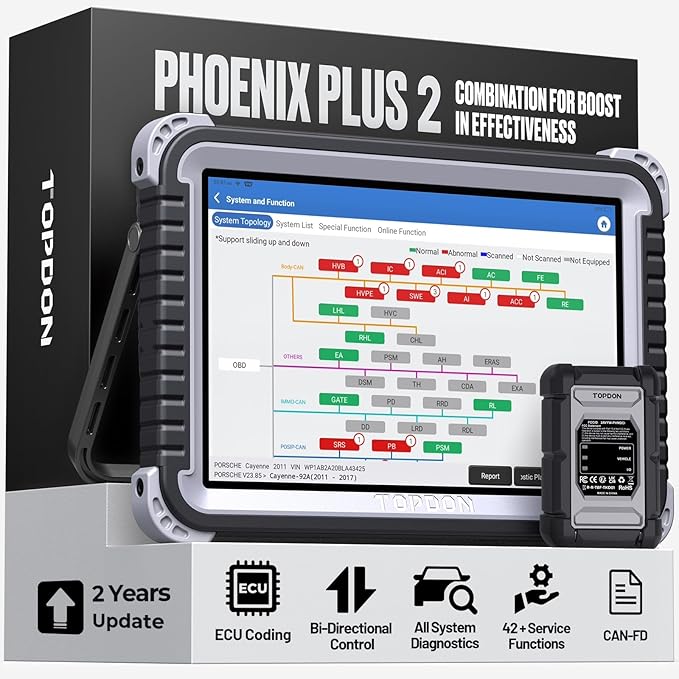 |
TOPDON Phoenix Plus 2 Scan Tool | Check Price |
| 4 |  |
LAUNCH X431 Scanner PROS Elite 2026 New Bidirectional Scan Tool | Check Price |
| 5 |  |
XTOOL D7S Bidirectional Diagnostic Scan Tool | Check Price |
XTOOL IP919 PRO V2.0 ECU Programming Scan Tool
The XTOOL IP919 Pro V2.0 stands out by putting a topology map at the center of the diagnostic experience. Instead of viewing vehicle modules as an unorganized list, the user can see the relationship between systems in a color-coded layout. That can make a network communication problem easier to narrow down, particularly when several warning lights appear at once.
Its ECU coding and programming functions are aimed at recoding or programming replacement modules, changing supported parameters, and completing matching or relearn procedures. The tool also supports more than 51 reset, adaptation, initialization, and calibration functions. That range is helpful for a shop handling battery registration, steering-angle calibration, ABS bleeding, throttle-related procedures, or transmission service.
The 10.1-inch sunlight-readable display, Android 10 operating system, eight-core processor, 8GB of memory, 128GB of storage, and 6400mAh battery create a comfortable setup for extended diagnostic sessions. Bidirectional control lets the technician command supported components such as fans, solenoids, and actuators instead of merely reading stored codes. The main trade-off is that advanced programming remains vehicle-dependent, so buyers should confirm exact make, model, year, and procedure coverage before purchasing.
Pros
- Topology mapping helps visualize module communication and fault relationships.
- ECU coding and programming are paired with more than 51 service functions.
- Large sunlight-readable screen and strong storage capacity suit shop use.
- Supports pre-scan and post-scan health reports for organized documentation.
Cons
- Programming and coding coverage varies by vehicle and module.
- The larger professional-style platform may be more than a casual owner needs.
- Advanced functions require careful attention to vehicle voltage and procedure instructions.
My Opinion
This is the most complete choice in the group for a professional shop or advanced DIYer who values network visibility, reporting, and broad service coverage. It ranks first, but its capabilities are worthwhile only if your vehicles support the functions you intend to use.
XTOOL D7 Bidirectional Scan Tool
The XTOOL D7 offers a practical balance between advanced capability and approachable ownership. It performs full-system diagnostics across areas such as the engine, transmission, body control, airbags, and brakes, while eight live-data graphs help the user compare sensor behavior rather than relying only on a trouble-code description.
Its strongest advantage is true bidirectional control with more than 4,000 active tests and bidirectional PIDs. A user can command supported air-conditioning clutches, fuel injectors, windows, fans, and other components while watching sensor responses. That is valuable when a code identifies a circuit but does not prove whether the fault is the component, wiring, or control signal.
The D7 also provides 39 or more special functions, including battery registration, throttle relearn, TPMS work, oil service, brake procedures, and automatic bleeding on supported vehicles. The newer version listed here increases storage to 64GB and supports FCA, CAN FD, and DoIP protocols. Three years of free updates is a meaningful ownership benefit, although the tool continues to work after that period without newer software or newly added functions. Buyers should also remember that “full system” does not mean identical factory-level access on every brand.
Pros
- Strong bidirectional testing capability with thousands of active tests and PIDs.
- Full-system access and eight live-data graphs support deeper fault diagnosis.
- 64GB storage and a 5000mAh battery improve everyday usability.
- Three years of free updates add value for changing vehicle coverage.
Cons
- ECU coding and special-function availability depends on vehicle coverage.
- Some advanced procedures may require additional access or brand-specific conditions.
- It is less expansive in presentation and topology tools than the IP919 Pro V2.0.
My Opinion
The D7 is a sensible second choice for a home garage, mobile technician, or smaller repair business that needs real active testing without stepping up to the largest platform. Its update period and newer protocol support make it particularly attractive for mixed vehicle work.
TOPDON Phoenix Plus 2 Scan Tool
TOPDON’s Phoenix Plus 2 is aimed at buyers who want extensive brand-oriented programming and control functions. It supports online ECU coding and offline programming across brands such as Mercedes-Benz, BMW, GM, Ford, Porsche, and Toyota, with module replacement, initialization, PMI, variant coding, and selected hidden-function activation included in its broader workflow.
More than 3,000 bidirectional control functions give this scanner a strong troubleshooting role. Instead of stopping after reading a fault code, the user can command supported solenoids, actuators, and other components to observe whether they respond correctly. The tool also offers all-system scanning, live data, ECU information, active tests, and more than 42 hot reset services.
Another useful advantage is its full OBDI and OBDII compatibility with a complete set of connectors and vehicle-specific adapters. FCA AutoAuth support helps with secure gateway access on supported newer Chrysler, Dodge, and related vehicles. The trade-off is complexity: online coding can involve manufacturer access, account requirements, or procedural restrictions, while offline functions are not universal. Two years of free updates is helpful, but buyers should budget attention for coverage verification before attempting a programming job.
Pros
- Combines online ECU coding, offline programming, PMI, and variant coding.
- More than 3,000 bidirectional functions support detailed component testing.
- Includes broad protocol, connector, and vehicle-system coverage.
- Provides guided diagnostics and more than 42 reset services.
Cons
- Programming access may depend on manufacturer accounts, online access, or region.
- Two years of free updates is shorter than the period supplied with some XTOOL options.
- The number of available functions can make the learning curve steeper for beginners.
My Opinion
Phoenix Plus 2 is a compelling choice for a shop that regularly handles multiple brands and wants programming depth beyond routine maintenance resets. It is best purchased by someone prepared to verify access requirements rather than expecting every ECU procedure to be automatic.
LAUNCH X431 Scanner PROS Elite 2026 New Bidirectional Scan Tool
The LAUNCH X431 PROS Elite focuses on stable, wired communication and broad professional diagnostic coverage. A wired connection can be a practical advantage during programming because it avoids relying on wireless communication between the vehicle and tablet. The device runs Android 10 and uses a 2.0GHz quad-core processor, 4GB of expandable memory, 64GB of storage, and a 6000mAh battery.
Its ECU coding coverage includes supported BMW, MINI, Audi, Volkswagen, Mercedes-Benz, and other vehicles. Offline coding can activate selected hidden features such as folding mirrors, automatic start-stop changes, fog-light behavior, or TPMS-related options. The product information also identifies important boundaries: advanced SCN procedures and key coding may require X-PROG3 or OEM online access, and coverage varies by make, model, and year.
For general troubleshooting, the PROS Elite offers all-system diagnostics, more than 1,000 active tests, V.A.G guided functions, CAN FD and DoIP support, FCA secure gateway access, and more than 38 service functions. An additional 100-plus diagnostic functions may be available through vehicle-specific menus. The wired design is less convenient than a wireless connection for quick checks, but the stated benefit is stable communication during demanding work.
Pros
- Wired communication can provide dependable connectivity during programming.
- Supports ECU coding, guided V.A.G. functions, and more than 1,000 active tests.
- CAN FD, DoIP, and FCA secure gateway support broaden newer-vehicle usefulness.
- Large battery and 64GB storage suit repeated shop sessions.
Cons
- Some key coding and advanced SCN procedures need extra tools or OEM access.
- Wired operation limits convenience when moving around a vehicle.
- Coverage must be checked carefully for the exact vehicle and function.
My Opinion
The PROS Elite is a good fit for buyers who prefer a stable wired connection and regularly work with European vehicles. It offers strong breadth, but the extra-access limitations mean it should not be treated as a universal replacement for factory programming equipment.
XTOOL D7S Bidirectional Diagnostic Scan Tool
The XTOOL D7S builds on the D7 concept with hardware and software changes intended to make daily use more convenient. Its 64GB storage, rear camera, foldable bracket, and updated interface are useful in a garage where the scanner may need to document a connector, module label, or repair condition. The combination is more practical than simply adding another list of functions.
For diagnostics, the D7S provides OE-level all-system scanning, live data with eight PID graphs, code reading and clearing, freeze-frame information, ECU data, and active tests. Its 39-plus maintenance functions cover common procedures such as oil, battery, brake, steering-angle, and tire-related resets. FCA AutoAuth support is listed for supported Chrysler, Jeep, Dodge, and Fiat vehicles, helping reduce gateway restrictions on newer applications.
The D7S is especially interesting for brand-specific coding. It supports online BMW coding, online Mercedes-Benz coding, offline Mercedes-Benz and Mitsubishi coding, and PMI functions for Ford, Mazda, and Lincoln. That concentration can be valuable to a technician whose vehicle mix matches those brands. It is not a universal programming platform, however, and the buyer should confirm whether a desired PMI or coding operation is available for the exact model year. Three years of software updates, 22-plus languages, a 30-day return policy, and a 24-month repair arrangement add ownership reassurance.
Pros
- Supports PMI and selected online or offline ECU coding by brand.
- 64GB storage, rear camera, foldable bracket, and updated interface improve usability.
- Includes full-system diagnostics, bidirectional tests, and 39-plus service functions.
- Three years of updates and broad language support strengthen long-term value.
Cons
- Coding coverage is concentrated on specific brands and procedures.
- Advanced functions remain dependent on exact vehicle compatibility.
- Buyers who need extensive topology mapping may prefer the IP919 Pro V2.0.
My Opinion
The D7S is a smart targeted purchase for a technician who works with Ford, Mazda, Lincoln, BMW, Mercedes-Benz, or Mitsubishi vehicles and wants PMI or coding at a moderate level. Its practical hardware upgrades make it a more flexible ownership choice than a basic code reader.
How I Selected These Scan Tools with ECU Programming
The selection starts with function relevance: each product needed to offer more than ordinary OBD2 code reading, with documented support for ECU coding, programming, module adaptation, bidirectional testing, or related service procedures. I then compared the depth of those functions, the stated vehicle and protocol coverage, update terms, hardware, reporting tools, and likely buyer fit.
Customer-feedback evidence was also considered through the supplied ratings and customer-feedback volume, but those numbers were not treated as proof that every function works on every vehicle. A high rating can indicate general satisfaction while still leaving a buyer responsible for checking a specific model, year, module, and software requirement.
ECU programming is not a single universal function. Coverage can change by brand, model year, module, region, gateway security, subscription access, and whether the procedure is online or offline.
The final ranking favors useful capability in context rather than the longest specification list. The IP919 Pro V2.0 leads because it combines programming, topology mapping, reporting, bidirectional control, and extensive service coverage. The D7 ranks next for its balance of active testing, protocol support, and updates, while the remaining products serve buyers with different brand, programming, or connectivity priorities.
The safest purchase is the scanner that matches the vehicles and procedures in your garage, not automatically the scanner with the most impressive maximum function count.
How to Choose the Best Scan Tool with ECU Programming
Start with the repair tasks you actually perform. Someone replacing batteries and diagnosing engine sensors needs a different level of access from a shop replacing body modules, performing PMI, or activating manufacturer-specific features. The best scan tool with ecu programming should be selected around confirmed vehicle coverage, not a general promise of “full system” access.
- Verify the exact make, model year, engine, module, and intended programming procedure.
- Separate ECU coding, ECU programming, module initialization, and ordinary code clearing.
- Check whether secure gateway, OEM credentials, subscriptions, or extra accessories are required.
- Compare free-update periods, supported protocols, and what happens after updates end.
- Choose bidirectional testing when you need to command components rather than only read faults.
Understand Coding Versus Programming
ECU coding usually changes configuration or vehicle-specific settings in an existing or replacement module. Programming or flashing can load software into a module and may be required after replacement. PMI, initialization, adaptation, and relearn procedures are related but not identical. Product descriptions may group these terms together, so look for the exact procedure listed for your vehicle.
Match the Tool to Your Vehicle Mix
A broad tool may be less useful than a targeted one if most of your work involves a particular brand. The D7S, for example, emphasizes selected BMW, Mercedes-Benz, Mitsubishi, Ford, Mazda, and Lincoln functions. A European-focused shop may prefer the LAUNCH or TOPDON options, while a mixed-brand repair facility may value the broader workflow of the IP919 Pro V2.0.
Decide Whether Bidirectional Control Matters
Bidirectional control allows the scanner to send commands to supported vehicle components. This can help test a fan, clutch, injector, window, solenoid, or actuator without guessing from a code alone. It does not repair the component and does not guarantee that every active test is available on every vehicle, but it can shorten the path from symptom to diagnosis.
Confirm Compatibility Before Buying
Compatibility claims are starting points, not guarantees. Before ordering, write down the vehicle identification details and the exact job you want to perform. Then check the tool’s coverage information or contact the listed support channel when the procedure is critical.
Questions to Verify
- Does the tool support the vehicle’s communication protocol, including CAN FD or DoIP if needed?
- Is the target ECU supported for replacement, coding, programming, or only diagnosis?
- Does the vehicle use a secure gateway that requires AutoAuth or another access method?
- Are online credentials, manufacturer subscriptions, or regional services required?
- Will the included cable, connector, or adapter reach the vehicle’s diagnostic port?
Be particularly cautious with advertisements that use “up to” coverage language. A scanner may access every system on one vehicle but offer only generic OBD2 data on another. Compatibility should be judged by the specific procedure, not just the brand name.
Prepare for Safe ECU Programming
Programming is more sensitive than reading a trouble code. A weak vehicle battery, interrupted connection, wrong module selection, or poor internet connection can create a serious problem. The scanner itself is only one part of a safe programming setup.
Before Connecting
- Identify the correct vehicle and confirm the module procedure.
- Use a properly maintained battery and follow the tool’s voltage guidance.
- Turn off unnecessary electrical loads unless the procedure says otherwise.
- Save existing codes, ECU information, and configuration data when possible.
- Read the on-screen instructions fully before selecting a write or coding command.
Do not disconnect the cable, close the application, or switch off the vehicle during a programming operation unless the procedure specifically instructs you to do so. If online access is required, use a reliable connection and avoid beginning a critical job when software updates or account access are uncertain.
Set Up a New Diagnostic Scanner
Initial setup is usually straightforward, but taking time at the beginning prevents avoidable problems later. Charge the tablet, connect it to a dependable Wi-Fi network, create or sign into the required account, and install available software updates before attempting an advanced repair.
A Practical First Session
- Record the scanner serial number and keep purchase information in a safe place.
- Update the operating system and vehicle software while the battery is well charged.
- Guide the included cables, adapters, and any brand-specific instructions.
- Connect to a vehicle and run an identification or health scan before changing settings.
- Practice reading live data and saving reports before starting programming work.
Learning the menu structure on a known vehicle is safer than exploring for the first time during an urgent module replacement. Save reports with the vehicle identification and repair date so you can compare pre-repair and post-repair conditions.
Use Reports and Live Data Effectively
A scan tool becomes more useful when its information is organized. A pre-scan can document existing faults, while a post-scan can show whether codes returned after the repair. The IP919 Pro V2.0 specifically supports pre-scan and post-scan health reports, and TOPDON lists PDF reporting with a QR code.
Live data should be interpreted in context rather than treated as a list of numbers. Compare related sensors, observe changes during an active test, and consider operating temperature, engine speed, and load. Graphing can reveal a signal that looks acceptable as a single value but behaves inconsistently over time.
Save Useful Evidence
- Store freeze-frame information before clearing codes.
- Record module identification and software information where available.
- Capture active-test results and live-data behavior.
- Keep a copy of the final health scan for future comparison.
Keep the Tool Working Reliably
Most ownership problems are preventable. Keep the display clean with a soft, slightly damp cloth, protect the diagnostic connector from dirt, and avoid pulling the cable by its wire. Store adapters together so a required connector is not missing when a vehicle arrives.
Charge the tablet before a long session and install updates when convenient rather than immediately before a scheduled programming job. The tools listed here vary in battery size and storage, but all depend on stable power and adequate free storage for software maintenance. A protective case and a dry storage location can also reduce damage from drops, dust, and shop fluids.
After a Difficult Job
- Disconnect from the vehicle using the recommended sequence.
- Save or export reports before closing the session.
- Inspect cables for bent pins, cuts, or loose housings.
- Restart the tablet if menus or communication behave unexpectedly.
- Contact brand support before repeating an uncertain programming procedure.
Understand Updates and Access Requirements
Free updates are valuable because vehicle coverage and diagnostic software change over time. The D7 and D7S list three years of free updates, TOPDON lists two years, and the LAUNCH listing identifies support and subscription considerations. After an update period ends, a tool may continue to function with its existing software, but newer vehicles or newly added procedures may not be included.
Update length is only one part of ownership cost. Secure gateway access, OEM online services, extra programming accessories, or brand subscriptions may affect a particular repair. Read the terms for the exact function rather than assuming that free scanner updates include every external service needed for programming.
Common Mistakes to Avoid
Advanced scan tools can save time, but incorrect assumptions can turn a simple repair into a difficult one. The most common errors involve confusing code reading with programming, skipping compatibility checks, and beginning a module write without stable power.
- Do not assume “all-system” means every coding or programming function is available.
- Do not clear codes before saving freeze-frame data and documenting the original condition.
- Do not interrupt a programming session because the screen appears slow or quiet.
- Do not choose a module menu based only on a similar model name.
- Do not ignore gateway, account, subscription, or regional access requirements.
- Do not use bidirectional commands without understanding what component will move or activate.
If the vehicle, module, or procedure is not clearly supported, pause and verify before writing data. A few minutes of confirmation is cheaper than recovering from an interrupted or incorrect programming attempt.
When a Basic Code Reader Is Enough
Not every vehicle owner needs an expensive professional scanner. A basic reader can be sufficient for checking a generic engine fault, viewing emissions-related codes, or confirming that a repair cleared a code. It is also easier to use when the owner has no intention of performing module coding, active tests, or service resets.
A more advanced tool becomes worthwhile when the vehicle has multiple warning lights, communication faults, electronic service procedures, gateway restrictions, or a replacement module that needs initialization. The extra capability matters most when it will be used regularly, not simply because the feature list looks impressive.
FAQS About Best Scan Tool with Ecu Programming
What is the best scan tool with ecu programming for a professional shop?
The XTOOL IP919 Pro V2.0 is the strongest overall choice in this selection because it combines ECU coding and programming with topology mapping, bidirectional control, more than 51 service functions, and pre-scan and post-scan reporting. The TOPDON Phoenix Plus 2 and LAUNCH PROS Elite may be better fits for shops centered on particular brands or online coding workflows.
Can these scan tools program any ECU?
No. ECU programming depends on the vehicle, model year, module, software version, region, secure gateway, and access requirements. Always verify the exact procedure before buying or beginning a programming operation.
Is ECU coding the same as ECU programming?
No. Coding generally configures supported settings or identifies a replacement module, while programming or flashing loads software into the module. Initialization, adaptation, PMI, and relearn procedures are separate operations that may be required after replacement.
Do I need bidirectional control for ECU programming?
Not always. Bidirectional control is mainly useful for commanding components and confirming their response during diagnosis. It can complement programming work, but it does not automatically provide access to every programming procedure.
Which option is best for brand-specific PMI?
The XTOOL D7S specifically lists PMI functions for Ford, Mazda, and Lincoln, making it a targeted option for those brands. Coverage should still be confirmed for the exact vehicle and module before purchase.
What should I check before programming a vehicle module?
Confirm vehicle and module coverage, stable vehicle voltage, cable connection, required online access, account credentials, software updates, and any extra adapter or accessory requirements. Save original codes and module information when possible.
Final Thoughts
The best scan tool with ecu programming depends on the vehicles and procedures you handle most. XTOOL IP919 PRO V2.0 ECU Programming Scan Tool Topology Map is my top overall pick, XTOOL D7 Bidirectional Scan Tool is the value-focused second choice, and TOPDON Phoenix Plus 2 Scan Tool is the strongest third option for broad brand-oriented coding and control work.