This guide compares five Autel options at very different capability levels. You will see where each model fits, what its important limitations mean in normal ownership, how to check vehicle compatibility, and which features matter before spending money on a diagnostic tool. When comparing best budget autel scanner, I look at how each option fits a real buying need, where it performs well, and which trade-offs matter.
My first choice is Autel AL319 Professional OBD2 Scanner. It reads and clears trouble codes, displays live data and freeze-frame information, checks I/M readiness, and works with many post-1996 OBD II vehicles without needing batteries.
My second choice is Autel Scanner Maxicom MK808S: 2026 Bidirectional Tool as Maxicheck MX900 MK900BT MK808BT. Finding the best budget autel scanner is less about buying the cheapest code reader and more about matching diagnostic depth to the vehicles and repairs you actually handle. A simple check-engine reader may be perfect for occasional maintenance, while a bidirectional tool can justify its cost by helping diagnose modules, actuators, and service procedures.
My third choice is Autel Autolink AL519 Enhanced Universal OBD2 Scanner Car Diagnostic Tool. Autel AutoLink AL519 Enhanced Universal OBD2 Scanner Car Diagnostic Tool takes third place as a capable handheld option for people who want full OBD II coverage, graphical live data, freeze-frame information, and I/M readiness without moving to a larger professional tablet. It is more advanced than the AL319, although its FCA security limitation is important for some newer Chrysler, Dodge, and Jeep vehicles.
Below, I compare the selected best budget autel scanner options, explain the strengths and trade-offs of each one, and cover the buying factors plus practical setup, use, compatibility, maintenance, longevity, safety, troubleshooting, storage, and common mistakes that matter before choosing.
Best Budget Autel Scanner
I selected these products by comparing their stated diagnostic functions, vehicle coverage, service features, connection style, update approach, and available customer-feedback evidence. The group includes simple handheld readers, a phone-based adapter, and full-featured bidirectional scanners so the comparison remains useful for different budgets and repair goals.
| # | Image | Product | Price on Amazon |
|---|---|---|---|
| 1 |  |
Autel AL319 Professional OBD2 Scanner | Check Price |
| 2 |  |
Autel Scanner Maxicom MK808S: 2026 Bidirectional Tool as Maxicheck MX900 MK900BT MK808BT | Check Price |
| 3 |  |
Autel Autolink AL519 Enhanced Universal OBD2 Scanner Car Diagnostic Tool | Check Price |
| 4 | 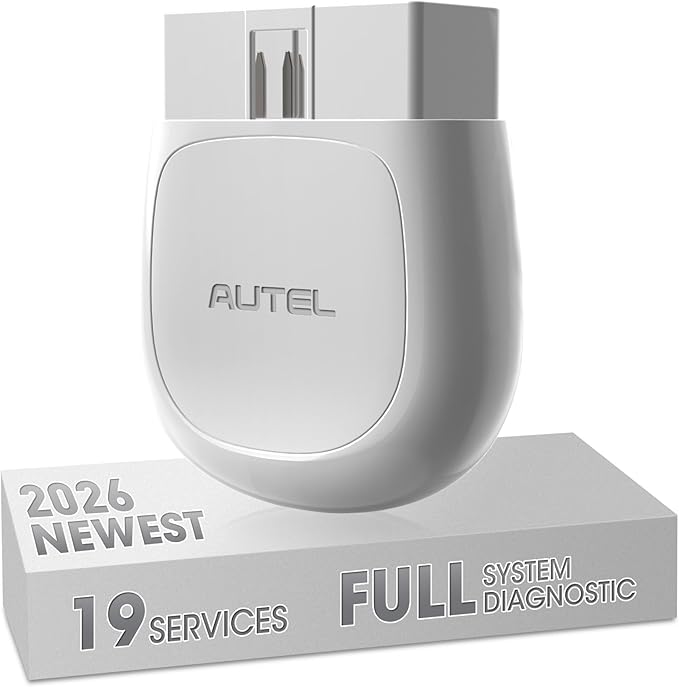 |
Autel Maxiap AP200 OBD2 Scanner Bluetooth | Check Price |
| 5 |  |
Autel Scanner Maxicom MK900: Bidirectional Tool as MK900BT | Check Price |
Autel AL319 Professional OBD2 Scanner
The AL319 is the most sensible starting point for a driver who mainly wants to understand a check-engine light before deciding whether professional service is necessary. It can read and clear diagnostic trouble codes, look up code meanings, show live data, display freeze-frame information, and check I/M readiness. That combination gives a beginner more context than simply seeing a warning light disappear.
Its one-click I/M readiness function is particularly useful before an emissions inspection. The color display, built-in speaker, LED indicators, and straightforward interface also reduce the learning curve. Because it draws power through the vehicle connection, there is no separate battery to charge or replace, and the cable is long enough for normal use without becoming especially cumbersome.
Compatibility covers many post-1996 OBD II vehicles, including common Toyota, Nissan, Honda, and Ford applications, with seven language options. Still, this is primarily an OBD II reader rather than a full-system service tool. It should not be selected by someone expecting airbag, transmission, body-module, actuator, or advanced reset access. The supplied ownership support includes a 12-month warranty and lifetime free updates, which adds value for occasional household use.
Pros
- Simple plug-and-play operation for beginners.
- Reads and clears codes while showing live and freeze-frame data.
- One-click I/M readiness check and no internal battery required.
- Supports multiple languages and lifetime free updates.
Cons
- Focused on standard OBD II functions rather than all-system diagnostics.
- Not the right choice for bidirectional tests or advanced service resets.
- Vehicle compatibility still depends on the car’s OBD II support.
My Opinion
The AL319 is my top pick for basic household troubleshooting because its functions are clear, useful, and unlikely to overwhelm a new owner. Choose it when the main goal is identifying engine-related codes and checking inspection readiness, not performing advanced repairs.
Autel Scanner Maxicom MK808S: 2026 Bidirectional Tool as Maxicheck MX900 MK900BT MK808BT
The MK808S occupies a very different category from the small handheld readers. It can scan available vehicle systems rather than concentrating only on the engine, helping a buyer investigate areas such as the transmission, ABS, body electronics, and other modules. That broader view matters when a warning light is not caused by a basic powertrain fault.
Its bidirectional capability is the main reason to consider it. More than 3,000 listed active tests can send commands to supported components such as fans, lights, horns, windows, mirrors, pumps, and other actuators. In practical terms, that can help distinguish a failed component from a wiring, switch, or control issue before parts are replaced. The tool also supplies 28 or more service functions, including oil reset, battery management, airbag-related service, injector procedures, clutch learning, and cylinder-balance functions where the vehicle supports them.
The wired connection avoids the interruptions that can occur with Bluetooth, but it also means the tablet must remain physically connected. Compatibility varies by make, model, year, and system, so buyers should confirm a specific procedure before purchase. Its support for FCA and Renault security gateways and broad worldwide coverage improve its usefulness for mixed-brand households, although its advanced menu will take more time to learn than the AL319.
Pros
- Full-system scanning reaches far beyond basic engine codes.
- Large active-test library supports deeper fault isolation.
- Includes more than 28 common service functions.
- Wired operation provides a stable connection.
Cons
- More expensive and complex than a basic code reader.
- Individual functions depend on vehicle support.
- Requires compatibility checks for specific makes and procedures.
My Opinion
The MK808S is the strongest middle-ground option here for a capable DIYer who expects to work on multiple systems but does not need the expanded hardware and service depth of the MK900. It offers meaningful diagnostic capability, provided the owner is willing to confirm coverage and learn the menus.
Autel Autolink AL519 Enhanced Universal OBD2 Scanner Car Diagnostic Tool
The AL519 is a useful step above a minimal code reader because it covers all ten standard OBD II test modes. It can read and clear generic and manufacturer-specific codes, retrieve vehicle information, show live data in text or graph form, and capture freeze-frame details such as engine speed, fuel pressure, fuel trim, and coolant temperature. Those extra data points can make a recurring warning easier to investigate.
For inspection preparation, the I/M readiness function provides a quick indication of whether the vehicle’s emissions monitors are ready. The scanner can also help identify a loose fuel-cap type problem and show the information associated with the stored code. Its handheld format keeps operation direct, while the color display and code lookup reduce the need to search for every basic definition separately.
There is an important compatibility boundary. The AL519 is intended for standard OBD II vehicles from 1996 onward in the US market, but it cannot access OBD II modules or clear codes on FCA vehicles such as Chrysler, Dodge, and Jeep made after 2017 when the Secure Gateway or AutoAuth system blocks access. Updates require a Windows computer and the MaxiLink II process, so ownership is not quite as effortless as the AL319’s stated lifetime update arrangement.
Pros
- Supports all ten standard OBD II functions.
- Offers text and graphical live data.
- Retrieves freeze-frame information and vehicle details.
- Useful I/M readiness check for emissions preparation.
Cons
- Limited by FCA Secure Gateway access on affected newer vehicles.
- Update process requires a Windows computer.
- Does not provide the all-system and bidirectional depth of the MK models.
My Opinion
The AL519 is a strong choice for someone who wants more diagnostic information than the AL319 provides while staying with a conventional handheld scanner. It makes the most sense for standard OBD II vehicles, but FCA owners should treat the security limitation as a purchase-decision issue rather than a minor detail.
Autel Maxiap AP200 OBD2 Scanner Bluetooth
The AP200 takes a different approach by using a small Bluetooth adapter and a phone app instead of a dedicated screen. Pairing happens inside the app rather than through the phone’s normal Bluetooth settings, and the adapter can turn a compatible iPhone or Android phone into a portable diagnostic interface. That makes it attractive to buyers who prefer using a familiar screen and do not want another handheld device in the glove box.
Unlike a basic engine reader, the AP200 can access available systems such as the engine, transmission, ABS, and airbag modules, then display multiple sensor streams in graph or text form. AutoVIN can identify the vehicle, while Vehicle History stores previous sessions so a returning owner does not always have to start from scratch. The included software provides one free vehicle model, with additional makes available for purchase, so the long-term cost depends heavily on the vehicles in the household.
The adapter supports many American, European, and Asian OBD II vehicles from 1996 through 2018, but coverage for a particular maintenance function can vary by make, model, and year. It does not support tablet devices, which is easy to overlook if a buyer prefers a larger display. The phone-based design is convenient, yet it also makes the experience dependent on app access, phone compatibility, Bluetooth communication, and the selected vehicle software package.
Pros
- Compact wireless design works with iPhone and Android phones.
- Provides full-system access on supported vehicles.
- Offers live data graphs, AutoVIN, and saved vehicle history.
- Includes 19 or more maintenance functions.
Cons
- Does not support tablet devices.
- Only one vehicle model is free; extra coverage costs more.
- Functions vary substantially by vehicle.
- Requires a compatible phone and app-based pairing.
My Opinion
The AP200 is the best fit for a phone-oriented DIYer who wants broader diagnostics without carrying a dedicated tablet. Its low entry cost is appealing, but buyers should calculate the cost of additional vehicle software and confirm that their phone, vehicle, and desired service functions are supported.
Autel Scanner Maxicom MK900: Bidirectional Tool as MK900BT
The MK900 is the most capable scanner in this group and is aimed at buyers who expect to diagnose several vehicle systems regularly. It combines all-system scanning with bidirectional testing, allowing supported electronic control units and actuators to be examined more actively than with a code-only reader. The product information describes more than 3,000 active tests, including commands for components such as fans, lights, doors, throttle systems, and other vehicle equipment.
Its service coverage also goes beyond the MK808S, with more than 40 hot-service functions. Depending on vehicle support, those functions can address electronic parking brakes, oil systems, DPF, TPMS, battery management, injectors, throttles, gearboxes, transport mode, high-voltage battery procedures, rain and light sensors, and sunroof initialization. CAN-FD and DoIP support improve its relevance for newer vehicles, while FCA and Renault gateway access can help with security-restricted applications.
The 8-inch display, Android 11 platform, 4GB of RAM, 64GB of storage, dual-band Wi-Fi, and 7,700mAh battery make it better suited to extended diagnostic sessions than a tiny reader. It includes one year of backup and 12-month upgrades, with 21 or more menu languages. The trade-off is clear: this is a larger investment and a more involved tool, and advanced functions still require vehicle-specific confirmation before purchase.
Pros
- Most extensive active-test and service coverage in this group.
- Supports newer CAN-FD and DoIP communication standards.
- Large screen, strong hardware, and high-capacity battery.
- Useful for mixed-brand, multi-system diagnostic work.
Cons
- More scanner than most casual drivers need.
- Included upgrades are limited to 12 months.
- Specific functions remain dependent on vehicle compatibility.
- Higher capability brings a steeper learning curve.
My Opinion
The MK900 is the clear choice for a serious DIY garage or small shop that can use bidirectional testing and a broad service menu often. For occasional check-engine questions, its size and complexity are unnecessary; for regular work across newer and mixed-brand vehicles, its additional coverage is easier to justify.
How I Selected These Best Budget Autel Scanner Options
The ranking balances usefulness against complexity rather than treating the most expensive tool as automatically best. The AL319 leads because it addresses the most common beginner need with a simple interface and essential functions. The AL519 earns its place by adding complete standard OBD II coverage and richer data, while the AP200 offers a different phone-based ownership model.
The MK808S and MK900 rank highly for capability, but their value depends on whether a buyer will use full-system access, service resets, and active tests. Customer-feedback evidence also matters: the AL319 has more than 26,000 listed ratings with a 4.6 average, while the AL519, AP200, MK808S, and MK900 have substantial but smaller feedback pools. Those figures are useful signals of market experience, not a substitute for checking vehicle-specific compatibility.
The most important ranking distinction is diagnostic depth. A basic reader can explain an engine warning, while a bidirectional scanner can sometimes test the vehicle’s components and systems directly.
Compatibility is never guaranteed by brand name alone. Make, model, year, communication protocol, security gateway, and the exact service function can all change what a scanner can do.
How to Choose a Best Budget Autel Scanner
Start with the problem you want to solve. If the goal is to read a check-engine code and check emissions readiness, a handheld OBD II model is usually the most sensible purchase. If you need ABS or airbag access, maintenance resets, or actuator tests, move toward the AP200, MK808S, or MK900 and verify coverage for each vehicle.
- Choose basic OBD II coverage for engine-code and inspection tasks.
- Choose full-system access for ABS, SRS, transmission, and body-module work.
- Choose bidirectional testing when you need to command actuators or components.
- Check FCA gateway restrictions and other security requirements before buying.
- Compare update terms, app costs, phone requirements, and included software.
Match the scanner to your repair frequency
An occasional driver may use a scanner only a few times per year. In that situation, a simple tool with a direct interface has an advantage because it can remain in the vehicle and be ready when a warning appears. A larger tablet makes more sense when it will be used for repeated repairs, multiple vehicles, or procedures that can prevent unnecessary parts replacement.
Decide whether you need bidirectional control
Code reading tells you what the vehicle reported; it does not always prove which component failed. Active tests can command supported fans, lights, pumps, windows, or other actuators so the owner can observe a response. This capability is valuable, but it should not be confused with automatic diagnosis. A failed response still requires electrical, mechanical, and wiring checks.
Consider phone versus dedicated hardware
The AP200 keeps the device small and uses a phone display, which is convenient for many people. Dedicated scanners avoid some phone-related concerns and generally provide a more self-contained workflow. Before selecting the adapter, confirm that the phone is supported, the app language is acceptable, and the free vehicle coverage includes the cars you expect to scan.
Budget for updates and extra coverage
Update policies differ across these products. The AL319 lists lifetime free updates, while the MK900 includes 12-month upgrades and the AP200 offers one free model with additional models available for purchase. A low initial price can become less attractive if a buyer later needs several vehicle packages or wants continued access to new systems.
Compatibility Checks Before Purchase
Do not rely only on a statement such as “works with 200 brands.” That type of coverage describes a broad product family, not every function on every vehicle. Write down the exact year, make, model, engine, and the system you want to access. Then check whether the scanner supports that system and procedure.
Standard OBD II support generally covers emissions-related powertrain diagnostics on qualifying vehicles, but it does not automatically provide ABS, airbag, body, transmission, or manufacturer-specific service access. The AL319 and AL519 are therefore better understood as standard OBD II tools, while the AP200, MK808S, and MK900 pursue broader system coverage.
Security gateways deserve extra attention. The AL519 cannot access or clear affected FCA modules after 2017 when the Secure Gateway or AutoAuth system blocks it. The MK808S and MK900 list FCA and other gateway capabilities, but the exact vehicle and operation should still be confirmed before purchase.
Setting Up an Autel Scanner for the First Time
Begin with the vehicle parked safely, the transmission in park or neutral, and the parking brake engaged. Locate the OBD II port, which is commonly below the dashboard near the steering column. Plug in a wired scanner before navigating its menus, or connect the AP200 and complete pairing through the app rather than the phone’s standard Bluetooth settings.
Record the code before clearing it. Freeze-frame data can disappear once a code is erased, and that information may show the conditions present when the fault occurred. If the vehicle identification is entered incorrectly, stop and correct it before selecting a service function.
Updates should be handled according to the specific model’s instructions. The AL519 uses a Windows computer and MaxiLink II, while phone-based and tablet-based products use their respective software processes. Keep the device connected to reliable power during lengthy updates or service procedures, and do not interrupt communication while a module is being programmed or reset.
How to Use Diagnostic Data Effectively
A diagnostic trouble code is a starting point, not a final parts order. For example, a sensor-related code can result from a failed sensor, damaged wiring, a connector problem, an air leak, or another condition affecting the measured value. Use live data and freeze-frame details to compare the code with what the vehicle was doing at the time.
Look for patterns rather than one unusual number. Compare related sensors, watch whether a value changes when the engine warms up, and note whether the symptom returns after clearing. A scanner can provide valuable information, but mechanical inspection and manufacturer service information remain necessary for a reliable repair decision.
Maintenance and Storage Tips
- Keep the connector free of dirt, moisture, and bent pins.
- Do not pull a wired scanner from the port by yanking its cable.
- Store handheld units in a dry place away from extreme heat.
- Protect phone adapters from being left permanently in a vehicle exposed to temperature swings.
- Keep software current when continued coverage and updates are important.
- Clean screens with a soft, lightly damp cloth rather than harsh chemicals.
For a tablet scanner, charge the battery before a long diagnostic session and use stable Wi-Fi for downloads. For the AP200, keep the app installed and the phone operating system compatible. A scanner that is physically intact but unable to connect to its software is not useful when a warning light appears.
Common Mistakes to Avoid with an Autel Scanner
Most beginner problems come from treating the scanner as an automatic repair authority. The tool can report information and, on supported vehicles, perform commands; it cannot replace careful diagnosis or confirm that a repaired fault will never return.
- Do not clear a code before recording it and saving freeze-frame details.
- Do not assume every service function works on every year and trim.
- Do not use a basic OBD II reader for ABS, airbag, or body-module diagnosis unless coverage is explicitly listed.
- Do not ignore FCA Secure Gateway restrictions on affected vehicles.
- Do not perform an active test around moving parts without following safe operating precautions.
- Do not assume an emissions monitor is ready immediately after clearing codes.
Clearing a warning light does not repair the underlying fault. It only removes stored information until the vehicle detects the problem again.
When a Code Reader Is Enough
A simple reader is enough when the immediate question is, “Why is the check-engine light on?” It can help identify whether a problem may be minor, whether the vehicle should be driven, and whether an emissions test is likely to fail because monitors are incomplete. The AL319 and AL519 are well suited to this role.
It is not enough when the warning involves systems outside standard emissions diagnostics, when multiple modules are reporting faults, or when a component needs to be commanded for testing. In those situations, the AP200 or one of the MaxiCOM tablets is more appropriate, assuming the desired vehicle coverage is confirmed.
When to Choose a Professional-Level Tablet
A tablet becomes easier to justify when a buyer works on several cars, performs maintenance procedures, or wants to troubleshoot rather than simply retrieve a code. Full-system scans can reveal related faults, and active tests may reduce guesswork during component diagnosis. Service functions can also make routine jobs more manageable on supported vehicles.
The MK808S is the practical middle option, while the MK900 adds a larger screen, newer communication support, more service functions, and stronger hardware. Neither removes the need for safe procedures or vehicle-specific information. Their value comes from broader access, not from guaranteeing a correct repair with one scan.
FAQS About Best Budget Autel Scanner
What is the best budget Autel scanner for a beginner?
The Autel AL319 is the most beginner-friendly choice in this group. It focuses on reading and clearing engine codes, live data, freeze-frame information, and I/M readiness with a plug-and-play interface.
Which budget Autel scanner has bidirectional testing?
The MK808S and MK900 provide bidirectional functions on supported vehicles. The MK900 offers the broader stated active-test and service coverage, while the MK808S is a less expansive alternative for buyers who still want advanced capability.
Can a budget Autel scanner read ABS and airbag codes?
Not every model can. The AP200, MK808S, and MK900 list access to additional systems, including ABS and SRS, but the exact functions depend on the vehicle. The AL319 and AL519 are primarily standard OBD II scanners.
Is the Autel AL519 suitable for newer Jeep, Dodge, or Chrysler vehicles?
Buyers should be cautious. The supplied information states that the AL519 cannot access OBD II modules or clear codes on FCA vehicles made after 2017 when Secure Gateway or AutoAuth protection blocks access.
Does the Autel AP200 work with a tablet?
No. The supplied product information says the AP200 supports iPhone and Android phones but does not support tablet devices. It also requires pairing inside the app.
Do Autel scanners require updates?
Update arrangements vary. The AL319 lists lifetime free updates, the AL519 uses a Windows-based update process, and the MK900 includes 12 months of upgrades. The AP200 also depends on app and vehicle software coverage.
Final Thoughts
The Autel AL319 remains my first choice for straightforward engine-code and emissions-readiness tasks, while the Autel MaxiCOM MK808S is the better alternative for full-system work and active tests. For the best budget Autel scanner with the widest stated capability, the Autel MaxiCOM MK900 leads, but the AL519 and AP200 can be smarter purchases when their specific formats and limitations match your vehicles.