
Choosing the best sd card for thinkware dash cam use is about more than picking the largest capacity. A dash cam repeatedly writes and overwrites video, so the card must suit the camera, support continuous recording, and leave enough room for the way you drive and park.
My first choice is High Endurance High-Endurance Recording. It is intended for repeated dash cam writes, and Thinkware-specific positioning makes it a straightforward starting point for a compatible camera.
My second choice is 128GB Microsd Card. Its larger capacity can give clips more time before they are overwritten, provided your Thinkware model supports 128GB and parking mode is configured.
My third choice is Loop Recording Memory Card. At 32GB, it offers a practical fit for basic continuous recording and may suit drivers who regularly transfer or protect important clips rather than keeping long stretches of footage on the card.
Below, I compare these options, explain the strengths and trade-offs of each one, and cover the buying factors plus practical setup, use, compatibility, maintenance, longevity, safety, troubleshooting, storage, and common mistakes that matter before choosing.
5 Best Sd Card for Thinkware Dash Cam Comparison
I selected these cards for their stated suitability for dash cams, endurance details, useful capacity choices, and relevance to Thinkware systems. The supplied product information does not include ratings or customer-feedback evidence, so I have not used popularity claims or hands-on testing to rank them.
| # | Image | Product | Price on Amazon |
|---|---|---|---|
| 1 |  |
High Endurance High-Endurance Recording | Price on Amazon |
| 2 |  |
128GB Microsd Card | Price on Amazon |
| 3 | 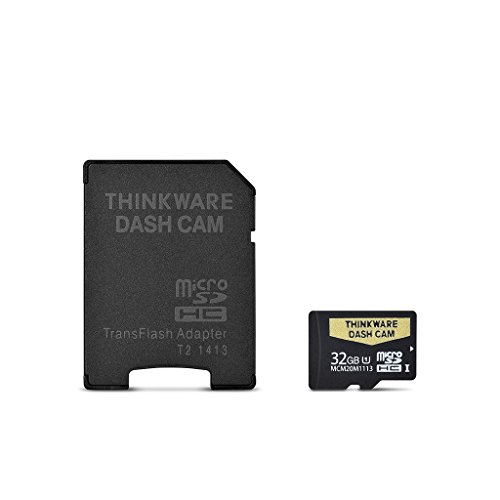 |
Loop Recording Memory Card | Price on Amazon |
| 4 |  |
U3 V30 4K UHD Micro SD Card SDSQQNR-128G-GN6IA | Price on Amazon |
| 5 |  |
V30 4K UHD C10 U3 Ideal | Price on Amazon |
High Endurance High-Endurance Recording
The 64GB capacity gives this card a middle-ground role: it provides more room than a 32GB option without asking the buyer to jump to a larger card that may require a compatibility check. For everyday commuting, that balance can make it easier to retain recent footage while the camera continues its normal loop-recording cycle.
Its high-endurance positioning matters because a dash cam writes video repeatedly, unlike a card used only occasionally to move photos. The product information specifically points to loop and parking-mode storage, as well as motion and incident capture on compatible Thinkware cameras. Those functions still depend on the camera’s own settings; the card alone does not activate parking surveillance.
Setup is described as plug-in and format in camera, which is a sensible first step for a new installation or replacement. Formatting through the dash cam lets the device prepare the card for its own file system and recording behavior. Before buying, confirm that the exact camera model supports this capacity and follow its instructions for card formatting and replacement.
The main trade-off is capacity. Drivers who leave a vehicle parked for long periods or want more time before older footage is overwritten may prefer the 128GB Thinkware card, if their camera accepts it. This 64GB choice is best for owners who value a Thinkware-specific option and a balanced amount of storage over maximizing capacity.
Pros
- High-endurance positioning for repeated dash cam recording.
- 64GB capacity balances everyday storage with a moderate card size.
- Intended for compatible Thinkware loop and parking-mode use.
Cons
- Less capacity than the 128GB and 256GB options.
- Parking features require a compatible camera and correct setup.
My Opinion
This is the most balanced starting point in the group: a Thinkware-focused 64GB card with a clear continuous-recording purpose. Check your camera’s approved capacity and format it in the camera before relying on it.
128GB Microsd Card
Thinkware’s 128GB card is the capacity-first option among the brand-specific choices here. More space can be useful when the camera records during the day and continues monitoring a parked vehicle, because it can delay the point at which loop recording overwrites older footage. It does not prevent overwriting altogether: loop recording is meant to reuse available space, and important clips should be protected or copied according to the camera’s instructions.
The product information emphasizes repeated writes and stable loop recording, with use for parking surveillance when the camera’s parking mode is enabled. That makes it a natural candidate for commuters, rideshare drivers, or vehicles that spend substantial time in monitored parking. A card cannot provide parking coverage by itself; the camera must support the feature, and the vehicle installation must provide the required power.
Installation is presented as a simple fit-and-format process, but the camera’s maximum supported capacity is the key caveat. Do not assume that every Thinkware model accepts 128GB just because the card is branded for Thinkware cameras. Check the manual or official compatibility information for the exact model, then format the card in the device before recording.
Compared with the 64GB option, this card offers more room but may be unnecessary for drivers who mainly want short-term loop coverage and routinely save incident clips elsewhere. It is also not a substitute for checking recording settings: resolution, frame rate, number of cameras, and parking mode all affect how quickly storage fills.
Pros
- 128GB capacity provides more recording room than the 32GB and 64GB choices.
- Intended for Thinkware dash cams and repeated recording.
- Supports parking surveillance when the camera and installation enable it.
Cons
- Compatibility with 128GB must be confirmed for the specific camera.
- More storage does not guarantee that a particular event clip is protected.
My Opinion
Choose this when extended recording space is more important than keeping the card size modest. Its best fit is a compatible Thinkware setup that uses parking mode regularly and has a clear plan for saving critical footage.
Loop Recording Memory Card
This 32GB Thinkware card is the compact-capacity pick for drivers who want a card focused on straightforward loop recording. It is positioned for continuous dash cam use and everyday driving, with enough space for a basic setup where footage is routinely overwritten and noteworthy clips are transferred or saved promptly.
The product information also describes support for motion and impact event capture in parking modes offered by compatible Thinkware cameras. Those are camera functions, not independent card features, so the camera must support the relevant mode and be configured correctly. If your vehicle stays parked for long stretches, a smaller capacity may mean less time before older recordings are replaced; that is the central trade-off to weigh.
For installation, the stated process is plug-and-record, with in-camera formatting and file management. Formatting before use is still a worthwhile step, even if the card is marketed for Thinkware. It helps ensure the camera prepares the storage in its preferred way. Keep in mind that convenient file access does not remove the need to protect important clips before they are overwritten.
This card can make sense for a driver who wants a simple branded replacement, has a camera that supports 32GB, and does not need a large footage archive. It is less compelling for someone who wants to preserve a longer span of driving or parking video on the card itself. Verify the capacity recommendation in your camera manual, particularly if replacing a card supplied with the device.
Pros
- Thinkware-focused option for loop recording and compatible parking modes.
- 32GB can suit basic daily recording and frequent clip transfers.
- In-camera formatting is described as part of setup.
Cons
- Lowest capacity among the five choices.
- Less suitable for longer parked periods or keeping more footage on-card.
My Opinion
This is a sensible basic option when 32GB matches the camera’s guidance and your recording needs are modest. Drivers who want longer retention should compare it with the 64GB or 128GB Thinkware cards first.
U3 V30 4K UHD Micro SD Card SDSQQNR-128G-GN6IA
SanDisk’s 128GB High Endurance card offers a non-Thinkware-branded alternative for dash cams and home monitoring systems. Its listed speed markings include Class 10, U3, and V30, alongside 4K UHD support. Those labels describe the card’s speed class, but the camera still needs to support the card format and capacity; they do not establish compatibility with every Thinkware model.
Its high-endurance positioning is relevant to a device that records repeatedly. The supplied information says it is designed for up to 10,000 hours of video, while also clarifying that the actual stored hours are lower and that the estimate is based on Full HD footage. The number of usable hours will vary with resolution and recording conditions, so treat it as a broad product claim rather than a promise of a particular retention period in your camera.
The card comes with an adapter, which can make it easier to connect the microSD card to a compatible computer card slot for file transfer. SanDisk also describes the card as tested for harsh conditions, including temperature, water, shock, humidity, and magnets; those claims apply to the card itself and do not make a dash cam or vehicle installation weatherproof.
Before choosing it, verify that your Thinkware model accepts a 128GB microSDXC card and follow the camera’s recommended formatting procedure. Its speed markings and capacity are useful on paper, but a listed dash cam use case should not replace the device maker’s compatibility guidance.
Pros
- 128GB capacity and high-endurance positioning for repeated recording.
- Class 10, U3, and V30 speed markings are listed.
- Includes an adapter for compatible card readers.
Cons
- Thinkware model compatibility must be checked before purchase.
- Stated recording-hour estimates vary with resolution and actual use.
My Opinion
This is a credible alternative when your camera’s documentation supports the capacity and card type. Its endurance focus and adapter are useful, but neither replaces a compatibility check or in-camera format.
V30 4K UHD C10 U3 Ideal
At 256GB, this SanDisk card has the largest capacity in the selection. That extra space may appeal to drivers who want more footage available before loop recording reaches older files, especially in a multi-camera or parking-heavy setup. The benefit only applies if the Thinkware camera supports 256GB; do not treat a larger card as automatically compatible or assume the dash cam will use all of its capacity.
The card is listed with Class 10, U3, and V30 markings, plus 4K UHD support, and it includes an adapter. Those details can be useful when transferring footage to a compatible computer, while the high-endurance positioning is aimed at frequent recording. However, the supplied listing details give conflicting recording-hour figures: the product title says up to 40,000 hours, while the feature details say up to 20,000 hours. Both figures are qualified as Full HD estimates, and actual saved video time is lower, so neither should be used as a guaranteed dash cam retention estimate.
SanDisk also describes the card itself as tested for challenging conditions such as temperature, water, shock, humidity, and magnets. This does not extend protection to the camera, wiring, or vehicle, and does not remove the need to handle the card carefully. Check the Thinkware manual for maximum capacity and any recommended card type before installing it.
This is best for a confirmed-compatible camera owner who values maximum listed capacity and can manage a larger video archive. For a driver whose camera supports only a smaller card, or who regularly saves clips off the device, the extra capacity may provide no practical advantage.
Pros
- Largest capacity in this selection at 256GB.
- High-endurance positioning and listed C10, U3, and V30 markings.
- Adapter is included for compatible card readers.
Cons
- Compatibility with the exact Thinkware model is essential.
- Supplied recording-hour figures conflict and are not guaranteed retention times.
My Opinion
Consider this only after confirming 256GB support in your camera documentation. It offers the most storage on paper, but the conflicting hour estimates and capacity caveat make compatibility more important than the headline numbers.
How I Selected These Best Sd Card for Thinkware Dash Cam Options
I prioritized cards whose supplied descriptions connect them to dash cam recording, loop writing, or high-endurance use. Thinkware-branded choices appear first because they are explicitly presented for Thinkware cameras; the SanDisk cards add a recognizable alternative with stated endurance and speed-class information.
The ranking also reflects practical capacity differences. A moderate capacity can suit routine driving, while larger cards may help when the camera records for longer periods, assuming the specific model supports them. Capacity alone does not determine how long footage stays available: camera settings and the number of active recording channels matter too.
No ratings, customer-feedback volume, verified customer comments, or test results were supplied for these products. I therefore do not present a popularity-based verdict or claim that I tested the cards. Where product details conflict, such as the SanDisk 256GB recording-hour estimates, I call that out rather than treating either figure as certain.
For a Thinkware dash cam, the camera manual’s supported-card guidance should outweigh a general dash cam compatibility claim on a memory-card listing.
Endurance matters for repeated recording, but it does not protect a clip from being overwritten. Save important evidence separately as soon as it is safe and practical.
How to Choose the Best SD Card for a Thinkware Dash Cam
Start with the camera model, not the largest number on the card package. Confirm the supported card type and capacity in the Thinkware manual or official guidance, then choose an endurance-focused card that fits how long you want footage to remain available before loop recording overwrites it.
- Check compatibility first: Confirm the exact camera’s supported capacity and card format.
- Match capacity to use: Consider daily recording, parking mode, and how often you save clips.
- Prioritize endurance: Dash cams write repeatedly, so a card intended for continuous recording is a sensible choice.
- Format in the camera: Use the dash cam’s own format function before relying on a new card.
- Keep important clips elsewhere: Loop recording is not long-term archival storage.
Compatibility and card type
MicroSD cards can differ in capacity class and file format. A card may work in one Thinkware model and not be supported in another. Check whether your camera accepts microSDHC or microSDXC and the maximum capacity it specifies. When manufacturer guidance names a preferred or supplied card, treat that as the safest starting point.
Third-party products may still be appropriate, but a listing that says “for dash cams” is not proof of compatibility with every Thinkware unit. If the manual is unclear, consult official support before moving to a higher capacity. A card that the camera cannot initialize reliably is not a useful upgrade, even if its capacity or speed markings look impressive.
Choose capacity around recording habits
Think about when you need footage most. A commuter who mainly wants recent road coverage may be comfortable with a smaller card and frequent clip transfers. Someone who leaves a vehicle parked for extended periods may value more capacity, but should also verify that the camera’s parking mode and power setup are suitable.
Recording resolution, frame rate, audio settings, number of cameras, and parking-mode settings all affect storage use. Since the supplied information does not provide a consistent recording-time table for each Thinkware model, avoid assuming a fixed number of hours from capacity alone. Use the camera’s documentation or app to understand how its recording modes use space.
Understand endurance and speed labels
High-endurance cards are positioned for repeated writes, which is a better match for continuous dash cam use than choosing a card solely because it is inexpensive or intended for occasional file storage. On the SanDisk options here, C10, U3, and V30 are listed speed classifications. They are relevant specifications, but do not guarantee compatibility with a particular Thinkware camera or make the card immune to wear.
For Thinkware-branded cards in this selection, the product details emphasize endurance and intended use but do not give equivalent speed-class figures. Do not infer unlisted speeds. Choose according to the camera’s requirements and the card’s stated use, rather than trying to compare unlike specifications.
How to Format a New Thinkware Dash Cam Card
Prepare a new card before depending on it for an important drive. The exact menu steps vary by camera, so use the instructions for your model rather than relying on a generic button sequence.
- Confirm the card’s capacity and type are supported by your Thinkware camera.
- Insert the card in the correct orientation while the camera is off, following the device instructions.
- Power the dash cam and use its format function if the manual recommends in-camera formatting.
- Check that the camera recognizes the card and begins recording normally.
- Confirm a test clip can be found and played back, then return the camera to your preferred recording settings.
Formatting erases existing data. If you are reusing a card, copy any clips you need to keep before starting. A computer format may not be the camera’s preferred preparation method, so format in the dash cam when its guidance calls for it.
Planning Card Capacity for Loop and Parking Mode
Loop recording manages space by overwriting older footage as the card fills. That is useful for keeping a dash cam recording without manual file cleanup, but it means capacity is temporary working space rather than permanent storage. A larger card can provide more room, yet its real benefit depends on the model’s supported capacity and recording settings.
Parking mode can change the equation because the camera may continue recording while the vehicle is unattended. The product descriptions mention motion, impact, time-lapse, or energy-saving modes on compatible systems, but not every Thinkware model offers every mode. Check which options your camera supports and how they affect storage and vehicle power.
For example, a driver who parks for short periods and saves incident clips promptly may not need the largest card. A vehicle monitored overnight may benefit from more capacity if the camera supports it, but the driver should also verify the installation requirements and avoid relying on storage size as a substitute for correct power setup.
Using Parking Mode Without Losing Important Clips
A memory card stores footage; it does not turn parking surveillance on. Parking mode depends on the dash cam’s feature set and the correct power arrangement for the vehicle. Follow the Thinkware installation guidance for your camera, and confirm that parking recording is enabled before expecting it to capture motion or impacts.
After setup, check that the camera enters the intended mode when the vehicle is parked and returns to normal recording when you drive. If your model provides event protection or a way to lock a clip, learn how that function works before an incident occurs. Otherwise, transfer footage you need promptly so loop recording cannot replace it.
Do not assume that a card’s “parking surveillance” wording means it supplies power or independently detects events. Those functions belong to the camera and its installation. The card’s role is to provide storage for the recordings the camera creates.
Care, Maintenance, and Replacing a Dash Cam Card
Memory cards are consumable storage, and repeated writing gradually uses them. A high-endurance designation is meant for this kind of workload, but it is not a promise of unlimited service life. Pay attention to camera warnings, recording interruptions, missing files, or repeated requests to format; these can indicate a card, camera, or setup problem that needs attention.
Keep the card and camera contacts clean and dry, and avoid removing the card while the camera is writing. Turn off the device as directed before taking the card out. When transferring files, use a compatible reader or the camera’s recommended method, and return the card to the dash cam only after safely ejecting it from the computer.
There is no replacement interval stated in the supplied product details. Rather than inventing one, follow Thinkware’s guidance and replace a card if the camera reports an error or reliable recording can no longer be confirmed. Periodically check that recent files play correctly, especially after installing a new card or changing recording settings.
Troubleshooting Card Recognition and Recording Problems
If the camera does not recognize a card, first switch off the dash cam and check that the card is fully inserted in the correct orientation. Confirm its capacity and card type against the camera’s requirements. A higher-capacity card is not automatically an upgrade if the camera does not support it.
If the camera asks to format the card, first make sure you have copied any footage you need. Then format it using the camera’s own menu if instructed by the manual. If the problem continues, check for an error message, confirm the card is compatible, and consult Thinkware’s support information for that model rather than repeatedly formatting without checking the cause.
For missing or interrupted video, verify that recording is enabled and inspect the camera’s settings and power connection. A card problem is one possible cause, but the camera’s configuration or installation may also be involved. Test recording again and confirm that the resulting clip plays before trusting the setup for a long trip or unattended parking.
Common Thinkware Dash Cam Card Mistakes to Avoid
Most avoidable problems come from assuming that a memory card’s headline capacity or general dash cam label guarantees it will work in a particular camera. Use the camera’s own compatibility instructions and build a habit of checking that recordings are actually being saved.
- Buying capacity before checking support: Verify the exact Thinkware model’s maximum capacity and card type first.
- Assuming parking mode is automatic: Confirm the feature is supported, enabled, and correctly powered.
- Using the card as an archive: Copy important footage before loop recording overwrites it.
- Removing the card during a write: Turn the camera off as instructed to reduce the risk of file problems.
- Trusting an hour estimate as a guarantee: Resolution and recording settings change usable storage time.
Before relying on a new card, verify three things: the camera recognizes it, a test clip records, and that clip plays back.
FAQS About Best Sd Card for Thinkware Dash Cam
What is the best SD card for a Thinkware dash cam?
For a balanced Thinkware-focused choice, the 64GB Thinkware High-Endurance card is my first pick in this selection. The right card still depends on your camera’s supported capacity and how much footage you want to retain before loop recording overwrites older files.
Can I use a 128GB card in a Thinkware dash cam?
Only if your specific Thinkware model supports 128GB. Check the camera manual or official compatibility information before buying, including the supported card type.
Is a high-endurance card necessary for a Thinkware dash cam?
It is a sensible choice because dash cams repeatedly write video during continuous recording. High-endurance positioning is intended for that type of use, although it does not mean the card lasts forever.
Should I format a new Thinkware memory card?
Follow your camera’s instructions. If the manual recommends in-camera formatting, use that process before relying on the card. Formatting erases existing files, so save anything important first.
Will a 256GB card work in every Thinkware dash cam?
No. The 256GB SanDisk option is useful only if the exact camera supports that capacity and card type. Confirm compatibility before purchase rather than assuming a larger card will be accepted.
Does an SD card enable Thinkware parking mode?
No. The card stores footage, while parking mode depends on the camera’s features, settings, and required power setup. Check your model’s instructions and test the mode after installation.
Final Thoughts
The best sd card for thinkware dash cam use is the one your exact camera supports and that matches your recording habits. My top choice is the Thinkware 64GB High-Endurance microSD Card for balance, followed by the Thinkware 128GB microSD Card for added capacity and the Thinkware 32GB Loop-Recording microSD Card for basic needs. Consider the SanDisk 128GB or 256GB alternatives only after confirming Thinkware compatibility.