
Choosing the best dash cam for small cars means balancing useful coverage with a camera that won’t clutter a compact windshield or make installation awkward. The right choice depends on whether you want a discreet front camera, coverage around the car, or extra features for parking and sharing footage.
My first choice is 4K+1080P 3 FHD Car Camera 5ghz Wifi and App Control. It records the front, rear, and sides, and includes a 64GB card, app access, and a built-in screen for checking the system.
My second choice is WiFi Dash Camera. My alternative is the WiFi Dash Camera, which earns second place for its compact, screen-free form and 1296P front recording. Its 170-degree view and phone app suit drivers who want a small camera and don’t mind buying a memory card separately.
My third choice is 32GB Card Included Mini Dashcam Screen-Free APP Control 160 Wide. It comes with a 32GB card and supports faster 5GHz Wi-Fi transfers, though parking mode requires a separately purchased hardwire kit.
Below, I compare all five options, explain what separates them, and cover the choices that matter most in a compact cabin: camera size, field of view, storage, power, and parking features. The buying guidance also covers installation and day-to-day care so you can match a camera to your car and routine.
5 Best Dash Cam for Small Cars Comparison
I selected these models for their relevance to compact-car use, including camera footprint, recording coverage, power needs, storage, and ways to access footage. Customer-feedback evidence, ratings, and customer-feedback volume were not supplied, so the comparison focuses on the available product details and practical trade-offs; brand variety was considered where practical.
| # | Image | Product | Price on Amazon |
|---|---|---|---|
| 1 |  |
4K+1080P 3 FHD Car Camera 5ghz Wifi and App Control | Price on Amazon |
| 2 |  |
WiFi Dash Camera | Price on Amazon |
| 3 |  |
32GB Card Included Mini Dashcam Screen-Free APP Control 160 Wide | Price on Amazon |
| 4 | 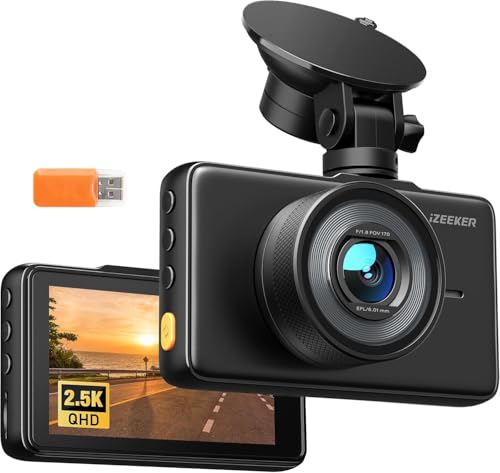 |
1440P QHD Car Camera | Price on Amazon |
| 5 |  |
GPS Tracking HDR Night Vision 24H Parking Mode Voice Control | Price on Amazon |
4K+1080P 3 FHD Car Camera 5ghz Wifi and App Control
The standout here is the four-lens arrangement: one 4K front camera and three adjustable 1080P cameras intended to cover the rear and both sides. That gives drivers more perspectives than a front-only camera, which may be useful in a tight parking lot or when an incident happens beside the car. The 3-inch screen also makes it possible to check the camera’s view without relying on a phone.
For a small car, the extra coverage comes with a real packaging trade-off. Multiple lenses, a screen, a suction-cup mount, and wiring can take up more visible space than a miniature single-camera unit. Before choosing it, consider whether the rear and side views are worth the added installation work and whether the camera positions can be arranged without interfering with the driver’s view.
The package includes a 64GB memory card, and loop recording reuses storage by replacing older footage. A G-sensor can lock recordings when it detects a sudden shake or collision, helping protect incident clips from routine overwriting. The Viidure app connects over 5GHz Wi-Fi for managing files, while GPS can add route and location information to footage.
Parking monitoring is available, but it requires a separately purchased hardwire kit. The product information describes the front sensor detecting approaching objects within 3–4 meters and recording a one-minute clip after a quick start. Buyers should check the kit and installation requirements before counting on unattended monitoring.
Pros
- Four lenses record the front, rear, and sides.
- Includes a 64GB card, screen, GPS, and app access.
- G-sensor locks footage after detected impacts.
Cons
- More cameras and wiring may be harder to fit neatly in a compact cabin.
- Parking monitoring requires a separate hardwire kit.
- Side and rear camera placement adds installation steps.
My Opinion
This is the strongest fit for a driver who values multi-directional coverage more than a nearly invisible installation. Map out the lens positions and cable routes first, and budget for a compatible hardwire kit if parking monitoring is a priority.
WiFi Dash Camera
The V300 is a front-facing camera with a compact, screen-free design, making it a natural option for drivers who want to keep the windshield visually simple. It records at 1296P and has a 170-degree lens, giving it a broad forward view across multiple lanes. The F1.7 aperture and six-layer glass lens are intended to help in low light, though real-world visibility will still depend on conditions and camera placement.
Instead of controls on a built-in display, the VeeCar app handles live previews, playback, downloads, and sharing. Its Wi-Fi connection is local rather than an internet connection, so the phone must connect to the camera to manage files. The camera also needs continuous USB-C power while operating; the Wi-Fi connection does not make it wireless.
Loop recording helps keep the camera recording as the card fills, while a G-sensor can protect footage associated with a sudden impact. The device supports cards up to 256GB, but no memory card is included. That makes it important to include a suitable card in the setup plan and confirm that it is seated and recording before relying on the camera.
Parking mode is listed, and the product title notes that hardwiring is required. Because the supplied details don’t specify the exact parking-mode behavior or kit, check the compatible power accessory and installation instructions before purchase. The V300 is best suited to someone who values a discreet front camera and is comfortable using an app and sourcing the storage card separately.
Pros
- Compact, screen-free body with a wide 170-degree lens.
- 1296P recording and app-based file access.
- Supports memory cards up to 256GB.
Cons
- Memory card is not included.
- Requires continuous USB-C power while in use.
- Parking mode requires hardwiring, with kit compatibility to confirm.
My Opinion
The V300 makes sense for a small car when keeping the front area uncluttered is the main goal. Buy the memory card and confirm the parking-power arrangement before installation; the local Wi-Fi connection is for camera access, not remote internet monitoring.
32GB Card Included Mini Dashcam Screen-Free APP Control 160 Wide
galphi’s camera pairs 4K front recording with a small, screen-free design. That combination can suit a compact car where a display would feel distracting or take up valuable windshield space. Its 160-degree lens captures a wide forward scene, while 5GHz Wi-Fi and an app provide a way to preview and transfer files without removing the card.
The included 32GB memory card means the camera can be used without buying storage first. That is convenient for a basic setup, although drivers who want to keep more footage should consider a larger card: the camera supports up to 256GB. The supplied product information recommends Class 10, U3, and V30 or higher for an extended-storage card.
Loop recording replaces older footage as the card fills, and the G-sensor can lock footage after a detected shake or collision. The F1.6 aperture and WDR are intended to balance low-light scenes and bright areas, but no camera setting can guarantee that every license plate will be readable in every condition. Since there is no screen, check the app’s live view during setup to make sure the camera is aimed properly.
Parking mode uses time-lapse recording at a reduced frame rate to conserve power and storage. It requires a Type-C hardwire kit, which is not included. Buyers should account for that extra purchase and installation step if they expect the camera to monitor the car while parked. For drivers who mainly need front-road recording, the included card and compact format keep the initial setup relatively straightforward.
Pros
- 4K front recording in a screen-free, compact design.
- Includes a 32GB card and supports cards up to 256GB.
- 5GHz Wi-Fi, loop recording, and G-sensor protection.
Cons
- Parking mode needs a separate Type-C hardwire kit.
- No built-in screen for direct setup checks or playback.
- Only front recording is specified.
My Opinion
This is a useful middle ground for drivers who want detailed front footage without a display and prefer to start with an included card. Use the app to align the lens during installation, and choose a suitable higher-capacity card if you need more storage.
1440P QHD Car Camera
Unlike the screen-free mini models, this iZEEKER camera has a 3-inch IPS display and physical buttons. That makes setup and playback more direct: you can check footage on the device without connecting to Wi-Fi or a phone app. Its 1440P QHD recording and 170-degree lens offer a wide forward view, while the suction-cup mount is intended to make installation accessible for beginners.
Night vision and WDR are intended to balance bright headlights and darker areas, and the F1.8 lens aperture lets in light for dim conditions. These features may help with challenging scenes, but they are not a substitute for choosing a clear mounting position or keeping the windshield clean. The camera records the front only; a rear view is not specified.
The camera does not include a memory card. It supports microSD cards from 16GB to 128GB, so buyers need to purchase a compatible card before expecting to save footage. Loop recording overwrites the oldest unprotected files, while the G-sensor can lock a clip after a sudden vibration or collision. A button can also be used to save an important moment manually.
For parked-car monitoring, the unit offers impact-triggered recording and time-lapse, but a hardware kit is required and not included. Power can come from the included cigarette-lighter adapter or a USB port, and the camera uses a Type-C input. The supplied ownership information states a two-year warranty, a useful consideration for buyers comparing support periods.
Pros
- 3-inch display and physical controls for direct operation.
- 1440P recording, 170-degree view, and WDR.
- Supports 16GB to 128GB microSD cards.
- Two-year warranty is specified.
Cons
- No memory card is included.
- Parking monitoring requires a separate hardware kit.
- Only front-camera recording is specified.
My Opinion
Choose this model if an on-device screen matters more to you than a hidden, app-controlled setup. Purchase a compatible card first, and decide whether the included car adapter or a suitable USB power source fits your car’s layout.
GPS Tracking HDR Night Vision 24H Parking Mode Voice Control
The A810 Lite stands out for pairing 4K front recording with a 1080P rear camera. For a driver who wants evidence from both ends of the car, that dual-channel setup offers more context than a front-only unit. Its credit-card-sized form is intended to fit discreetly behind the rearview mirror, an appealing placement in a small cabin if the camera and its wiring can be positioned without obstructing the driver.
For low-light driving, the camera combines HDR with an F1.55 aperture to balance bright and dark areas. GPS supports recording speed, route, and location, while voice control allows hands-free commands. The built-in 5GHz Wi-Fi 6 connection is intended for faster transfers through the app, where footage and GPS information can be accessed.
One notable extra is optional 4G LTE remote access for live viewing, alerts, and vehicle location. This requires the UP05 4G hardwire kit, so it is not a plug-in feature that works without additional hardware. Standard parking options include impact-triggered recording and time-lapse, with low-voltage protection; the listed hardwire kits are UP03, UP05, or UP06. Check compatibility and installation requirements before relying on parking coverage.
A supercapacitor replaces a conventional battery, and the product information describes it as better suited to heat and temperature extremes. The unit also supports loop recording and emergency file locking. This is the most feature-heavy choice here, but extra connectivity and rear-camera wiring add setup complexity. Its 18-month warranty is stated in the product details.
Pros
- 4K front and 1080P rear recording.
- GPS, voice control, HDR, and Wi-Fi 6 file transfer.
- Optional LTE remote access and multiple parking modes.
Cons
- LTE remote access requires the separate UP05 kit.
- Parking modes require a compatible hardwire kit.
- Dual-camera wiring and connectivity options make setup more involved.
My Opinion
This is the most capable option for someone who wants front-and-rear recording plus GPS and optional remote access. Confirm which hardwire kit supports the functions you want, and plan the rear-camera cable route before fitting it in a compact car.
How I Selected These Best Dash Cams for Small Cars
I compared the supplied product information for characteristics that can matter in a compact vehicle: how many cameras are included, whether the body has a screen, the stated recording resolution and field of view, power requirements, storage, and parking features. A broad feature list alone does not make a camera the right choice; installation demands and extra purchases can change the overall fit.
The ranking reflects practical differences rather than claimed hands-on performance. The four-channel XYGCACO takes the top spot for its unusually broad coverage and included card, while the Veement and galphi models offer more discreet front-only setups. The iZEEKER provides a built-in screen, and the 70mai combines front-and-rear recording with GPS and optional LTE access.
For a small car, check the camera’s complete footprint—including the mount, screen, cables, and any rear or side lenses—not just the size of the main unit.
No ratings, customer-feedback volume, or customer-feedback excerpts were included in the supplied data. I have therefore avoided treating popularity or buyer satisfaction as established facts; the comparison is based on stated product details and the trade-offs those details create.
How to Choose the Best Dash Cam for Small Cars
Start with what you want the camera to record, then work backward to fit, storage, and power. A compact front-only model is often the simplest cabin fit, while multi-camera coverage can add useful viewpoints at the cost of more components and wiring.
- Choose coverage: Decide whether front-only, front-and-rear, or four-direction recording suits your driving.
- Check physical fit: Account for the screen, mount, lenses, and cables near the windshield.
- Plan storage: Confirm whether a card is included and which capacities are supported.
- Separate parking features from power: Several models need a hardwire kit for monitoring while parked.
- Pick a way to access clips: Consider a built-in screen, app connection, or both.
Coverage and camera placement
Front-only models have fewer camera heads and generally involve less wiring. A rear camera adds coverage behind the car, while multiple adjustable lenses can capture side views. More coverage is useful only if the cameras can be positioned securely and their cables routed without blocking sightlines or interfering with controls.
Screen, app, or both
A built-in display, like the ones on the XYGCACO and iZEEKER, can make it easier to check framing or access footage directly. Screen-free cameras reduce the number of visible components but rely more heavily on a phone app for setup and file handling. Wi-Fi on the Veement is local camera-to-phone access, not internet service; optional LTE remote access is a separate 70mai function that requires additional hardware.
Storage capacity and file protection
Check the supported card range and whether a card is in the box. The included cards differ: XYGCACO supplies 64GB, while galphi supplies 32GB; Veement and iZEEKER do not include one. Loop recording helps keep recording continuous, but locked files may use space that would otherwise be recycled. Capacity alone does not guarantee that a card is appropriate, so follow the camera’s stated compatibility guidance.
Parking monitoring and power
Do not assume that a camera with a parking mode can monitor a parked car using only its ordinary driving power connection. The XYGCACO, galphi, iZEEKER, and 70mai specify a separate hardwire kit for parking functions; Veement’s supplied information also calls out hardwiring. Confirm the compatible kit, the desired parking mode, and installation requirements before purchasing.
Planning a Small-Car Installation
Before attaching a camera, sit in the driver’s seat and identify a position that leaves the road view clear. A compact car may have limited windshield space around sensors, mirrors, and sun visors. The camera should be placed where the lens can see the road without being hidden by a tint band or mirror housing.
For multi-camera systems, plan the rear and side views before routing any wires. Use the supplied installation guidance and pry tool where applicable; avoid pulling trim or forcing a cable through a tight gap. If you are unsure how to route wiring safely, use a qualified installer rather than guessing around vehicle wiring or airbags.
Set Up the Camera Before Driving
After mounting, power the camera and check its view while the car is stationary. A built-in screen can help with direct alignment; on screen-free models, use the app’s live preview. Make sure the road occupies the intended part of the frame and that the horizon is not excessively tilted.
Set the date and time if the camera offers those controls, then confirm the memory card is recognized and recording starts. If using phone Wi-Fi, follow the app instructions and remember that local camera Wi-Fi may disconnect the phone from ordinary internet access. Take a moment to learn how to lock an important clip without trying to navigate menus while driving.
Choosing and Managing a Memory Card
Storage needs depend on resolution, number of cameras, and how much footage you want to keep before loop recording overwrites it. A multi-camera system or higher-resolution front recording may use available space differently from a basic front-only setup. The supplied details specify capacities for each model, so stay within those limits.
Galphi recommends a Class 10, U3, and V30-or-higher card for extended storage. Other models have their own stated card ranges or maximums. Check the camera’s instructions for formatting and card handling, and do not remove a card while the camera is writing a file. If footage matters, periodically confirm that the camera is still saving clips rather than assuming that power alone means it is recording.
Making Parking Mode Work as Intended
Parking features differ: some systems respond to impacts, while others can record time-lapse footage at a reduced frame rate. A hardwire kit is necessary for the parking modes described by these products, and the compatible kit can vary by model. The 70mai lists UP03, UP05, and UP06 for parking mode and specifically requires UP05 for its optional LTE remote-access function.
Before relying on unattended monitoring, verify the camera’s parking-mode behavior and power arrangement in its instructions. The XYGCACO’s supplied details describe front-sensor detection, while galphi specifies time-lapse recording. Avoid assuming that every camera watches every side of the car in the same way it records during a drive.
Keeping Footage Useful
A dash cam records what its lens can see, so cleanliness and a clear view matter. Wipe the windshield around the lens with a soft cloth and check that the mount has not shifted after bumps, cleaning, or temperature changes. For rear and side cameras, inspect each lens and confirm that its view remains unobstructed.
When an incident occurs, save or lock the relevant clip as soon as it is safe to do so. A G-sensor can protect footage after a detected impact, but it is not a reason to assume every important event will be locked automatically. Transfer files you need to keep, since loop recording can overwrite older unprotected footage as the card fills.
Common Dash Cam Mistakes to Avoid
A camera can be well matched to a small car and still disappoint if its storage, power, or placement is overlooked. Avoid these common setup errors:
- Buying a camera without checking whether its memory card is included.
- Assuming parking mode works without a separately required hardwire kit.
- Mounting the camera where the mirror, tint, or another object blocks the lens.
- Expecting local Wi-Fi to provide internet access or remote monitoring.
- Forgetting that extra rear and side cameras require additional placement and cable planning.
- Relying on automatic impact locking without learning how to save a clip manually.
FAQS About Best Dash Cam for Small Cars
What type of dash cam fits a small car best?
A compact, screen-free front camera can keep the windshield area simple, while a model with a display or multiple lenses may suit drivers who prioritize direct access or broader coverage. Check the full mounted footprint and cable route before deciding.
Is a front-only dash cam enough for a compact car?
A front-only camera records the road ahead and involves fewer camera positions than a front-and-rear or four-channel system. Choose extra cameras if you want coverage behind or beside the car and are prepared to install and route the additional wiring.
Do these dash cams include a memory card?
The XYGCACO model includes a 64GB card, and the galphi camera includes a 32GB card. The Veement V300 and iZEEKER models do not include a card. Check the supported capacity before buying one for any model.
Can a dash cam monitor a small car while it is parked?
Some models offer parking modes, but the supplied information specifies that a separate hardwire kit is required. Check the model-specific kit and mode requirements; ordinary driving power should not be assumed to provide parked-car monitoring.
Does Wi-Fi let me watch my car remotely?
Not necessarily. The Veement’s Wi-Fi is a local connection for using the app near the camera, not internet access. The 70mai offers optional 4G LTE remote access, which requires its UP05 hardwire kit.
Will a 4K dash cam always capture readable license plates?
Resolution can provide detailed footage, but readability depends on factors such as distance, lighting, motion, and lens placement. The product specifications do not guarantee that every plate will be legible in every situation.
Final Thoughts
The best dash cam for small cars depends on how much coverage and setup complexity you want. For the broadest view, choose the XYGCACO 4-Channel 360° Dash Cam; for a discreet front camera, consider the Veement V300 Mini Wi-Fi Dash Cam; and for screen-free 4K recording with a card included, the galphi 4K Screen-Free Front Dash Cam is a practical third choice. Confirm storage and hardwire needs before ordering.