Choosing a commercial-vehicle scan tool is more complicated than buying a basic code reader. The best autel scanner for diesel trucks needs the right voltage support, vehicle coverage, active tests, service resets, and communication protocols for the trucks you actually maintain.
My first choice is Autel Maxisys MS908CV II Heavy Duty CV Scanner. Its Android 10 tablet, 9.7-inch display, 4GB of RAM, and 128GB of storage also make it a practical fit for demanding shop or fleet work.
My second choice is Autel Maxisys MS908CV II Heavy Duty Truck Scanner. It supports 12V and 24V vehicles, 3,000-plus active tests, ECU coding, 39-plus services, and 23 adaptations.
My third choice is Autel MAXIDIAG MD600CV Heavy Duty Truck Scanner. Its Class 3–9 coverage, wireless MAXIVCI V200 interface, expert mode, and support for J1708, J1939, J1587, J1850, CDL, PLC, and VPW make it especially interesting for fleet technicians and owner-operators.
This guide compares the five selected Autel tools, explains where each one fits, and separates genuinely useful capabilities from features that may matter only to advanced users. You will also find practical advice about compatibility, setup, programming precautions, maintenance, common mistakes, and choosing the right level of diagnostic equipment.
Best Autel Scanner for Diesel Trucks
I selected these products for their relevance to commercial diesel diagnostics, including system coverage, 12V/24V support, bidirectional capability, service functions, programming tools, and communication protocols. The ranking also considers the available customer-feedback evidence and meaningful differences between professional MaxiSys models and the more focused MaxiDiag option, without claiming hands-on testing.
| # | Image | Product | Price on Amazon |
|---|---|---|---|
| 1 |  |
Autel Maxisys MS908CV II Heavy Duty CV Scanner | Check Price |
| 2 |  |
Autel Maxisys MS908CV II Heavy Duty Truck Scanner | Check Price |
| 3 |  |
Autel MAXIDIAG MD600CV Heavy Duty Truck Scanner | Check Price |
| 4 | 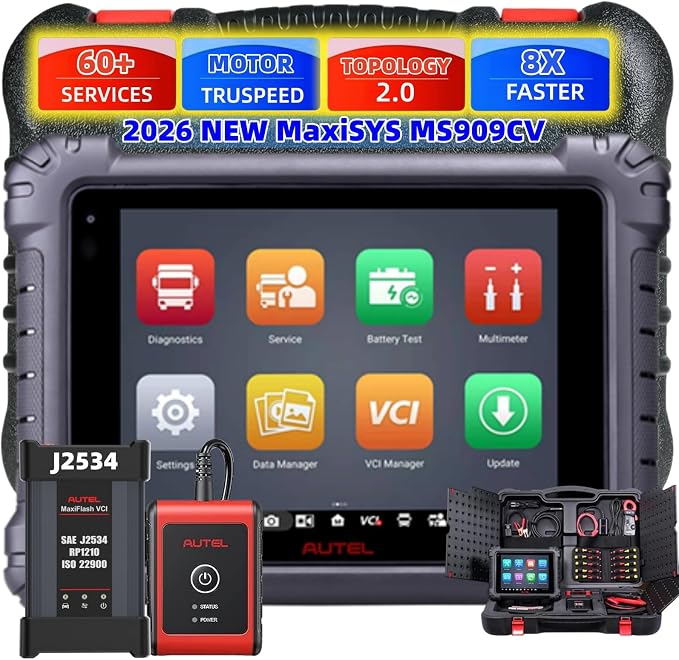 |
Autel Maxisys MS909CV Heavy Duty Truck Scanner | Check Price |
| 5 |  |
Autel Maxisys MS909CV Intelligent Heavy Duty Diesel Scanner | Check Price |
Autel Maxisys MS908CV II Heavy Duty CV Scanner
The MS908CV II earns the top position by covering an unusually broad range of commercial equipment. The supplied information lists support for Class 1–9 trucks, semi-trucks, buses, trailers, construction equipment, agricultural vehicles, and more than 150 commercial-vehicle brands. It also supports both 12V light-duty and 24V heavy-duty platforms, which is important for a mixed fleet.
For troubleshooting, the strongest advantage is the combination of full-system diagnostics and full bidirectional control. More than 3,000 active tests can command components such as fuel pumps, air-conditioning clutches, fans, windows, and other actuators. That can help separate an electrical control problem from a failed component instead of relying only on stored fault codes.
The included MaxiFlash VCI J2534 interface adds pass-through access to compatible original-equipment manufacturer software. ECU coding, firmware updates, and advanced online or offline coding can be valuable after module replacement, but programming still requires stable power, correct software, and confirmed vehicle compatibility. The tablet also offers 40-plus service functions, 24-plus adaptations, Android 10, a high-resolution 9.7-inch screen, 4GB of RAM, and 128GB of storage.
Pros
- Broad Class 1–9 and 150-plus commercial-brand coverage.
- Supports 12V and 24V vehicles.
- J2534 pass-through programming and ECU coding.
- More than 3,000 active tests plus extensive service functions.
Cons
- Advanced programming requires careful setup and compatible OEM software.
- The extensive feature set may be more than a small owner-operator needs.
- Subscription and accessory needs should be confirmed before purchase.
My Opinion
This is the strongest all-around choice for a repair shop or fleet that needs one advanced tablet for varied commercial vehicles. Its coverage and active-test depth justify the top ranking, provided the buyer is prepared for the learning curve and programming responsibilities.
Autel Maxisys MS908CV II Heavy Duty Truck Scanner
This second MS908CV II listing is very close to the first in capability. It targets 12V and 24V semi-trucks, Class 1–9 vehicles, buses, trailers, construction equipment, agricultural vehicles, and other commercial platforms. The supplied listing reports a 4.8 rating from 13 customer submissions, although that smaller feedback sample should be kept in perspective.
Its hardware is well suited to repeated diagnostic work. Android 10, 4GB of memory, 128GB of storage, a 9.7-inch 1536-by-2048 touchscreen, dual-band Wi-Fi, a 16MP rear camera, and an 11,000mAh battery give the tablet useful room for data storage and mobile shop use. A larger battery can reduce interruptions during extended inspections, though battery life will vary with wireless communication and screen use.
The MaxiFlash Elite J2534 interface supports SAE J2534-1 and J2534-2 pass-through functions. That opens the door to compatible manufacturer software for module programming, firmware replacement, and post-repair configuration. The tool also provides 3,000-plus active tests, ECU matching and initialization, 39-plus service functions, and 23 adaptations, including injector-related work, DPF functions, fuel-pressure adaptation, oil reset, ABS, EPB, and suspension tasks.
This model ranks behind the first listing mainly because the two appear closely related, while the first supplied listing presents slightly stronger overall relevance and a larger feedback sample. Buyers should compare the exact package, included VCI, language, registration status, update terms, and support arrangements before ordering.
Pros
- Strong 12V/24V commercial-vehicle coverage.
- Large battery and high-resolution touchscreen.
- J2534-1 and J2534-2 pass-through capability.
- Wide selection of active tests, services, and adaptations.
Cons
- Its feature set substantially overlaps the higher-ranked MS908CV II listing.
- Customer-feedback volume is limited in the supplied data.
- Programming remains dependent on compatible OEM software and conditions.
My Opinion
This is a capable alternative for a technician who wants advanced truck diagnostics and values the included J2534 setup. It makes the most sense when the seller’s package and support terms are clearly confirmed before purchase.
Autel MAXIDIAG MD600CV Heavy Duty Truck Scanner
The MD600CV takes a somewhat different approach from the two MS908CV II tools. Rather than emphasizing the broadest programming and coding package, it presents itself as a comprehensive heavy-duty diagnostic tablet for Class 3–9 vehicles. That makes it a sensible fit for fleet technicians, owners, and operators who need fast system triage and routine service work across medium- and heavy-duty trucks.
Its advanced diagnostic coverage reaches engine, exhaust, gearbox, ABS, EBS, suspension, and body control systems. Expert Mode is useful for technicians who need deeper access than a simple guided scan, while the Android touchscreen interface should feel familiar to anyone comfortable with a tablet. The main practical benefit is a more organized way to move from a fault code to system-level information and service decisions.
The wireless MAXIVCI V200 interface is one of the model’s notable strengths. The supplied information specifically identifies support for J1708, J1939, J1587, J1850, CDL, PLC, and VPW communication protocols. That protocol range can matter when a fleet includes older and newer trucks, but buyers should still verify the exact make, model, year, and connector requirements for every vehicle they intend to service.
The trade-off is that the supplied data does not present the same extensive J2534 programming emphasis or 3,000-plus active-test count associated with the higher-ranked MaxiSys listings. It may therefore be a better diagnostic and maintenance tool than a dedicated module-programming platform.
Pros
- Focused Class 3–9 heavy-duty coverage.
- Wireless V200 communication interface.
- Supports several important commercial-vehicle protocols.
- Expert Mode and coverage across major truck systems.
Cons
- Less programming detail is supplied than for the MS908CV II models.
- Compatibility should be checked carefully for mixed fleets.
- May not satisfy buyers seeking the broadest coding and active-test package.
My Opinion
The MD600CV is a good middle-ground choice for fleet maintenance and system diagnosis. I would favor it when wireless communication and protocol coverage matter more than advanced J2534 programming.
Autel Maxisys MS909CV Heavy Duty Truck Scanner
The MS909CV is positioned as a top-tier commercial-vehicle scanner with a strong emphasis on visual diagnosis and repair information. Its topology diagram maps the CAN bus structure and displays available control units with color indicators. For a beginner, that visual layout can make a complicated network fault easier to understand; for an experienced technician, it may help narrow attention to the affected module or communication branch.
Another differentiator is MOTOR TruSpeed Repair. The supplied details describe access to technical service bulletins, diagnostic-code analysis, step-by-step repair and service procedures, component locations, wiring diagrams, and maintenance schedules. These resources can reduce the time spent searching for supporting information, although the usefulness of any individual procedure depends on vehicle coverage and available software access.
With the J2534 programmer, the scanner supports advanced ECU coding and updates after repairs or module replacement. It also reaches all available vehicle systems and offers more than 3,000 active tests. The listed service and adaptation functions cover common needs such as oil reset, injector coding, SAS calibration, throttle adaptation, cylinder cut-out tests, and transmission adaptation.
Coverage is listed at more than 150 brands across Class 1–9 vehicles, including light-, medium-, and heavy-duty applications. The supplied information also mentions remote expert access and support connections. Those additions may appeal to busy shops, but they should not be treated as a substitute for confirming the vehicle, software, and subscription requirements before a repair begins.
Pros
- Topology mapping helps visualize CAN bus structures.
- MOTOR TruSpeed Repair adds procedures, diagrams, and service information.
- J2534 programming, ECU coding, and more than 3,000 active tests.
- Broad Class 1–9 and 150-plus-brand coverage.
Cons
- Advanced functions can create a steeper learning curve.
- Repair-information and remote-support access may depend on current availability.
- Programming requires careful compatibility and power-management practices.
My Opinion
The MS909CV is particularly attractive to repair facilities that want diagnostic data and repair guidance in one workflow. It ranks fourth because the supplied information makes the next MS909CV listing appear newer and more enhanced, not because this model lacks serious capability.
Autel Maxisys MS909CV Intelligent Heavy Duty Diesel Scanner
This newer MS909CV listing is aimed at buyers who want advanced heavy-duty diagnosis with an emphasis on intelligent guidance. MOTOR TruSpeed Repair brings together maintenance schedules, service procedures, specifications, technical service bulletins, wiring information, and component locations. That combination can be helpful when a fault code is only the starting point and the technician needs a clearer path toward repair.
Enhanced Topology 2.0 provides a visual representation of the CAN bus network and uses color indicators to organize control modules. This is more than a cosmetic feature: a network map can help a user recognize missing communication, isolate a group of related modules, and avoid replacing parts before checking the underlying network.
The tool supports OE-level J2534 programming and coding through the enhanced MaxiFlash VCI. Its listed functions include installing or refreshing modules and writing adaptive data after certain replacements. The scanner also supplies 39-plus maintenance and service functions and 25-plus calibration functions, including VGT learning, injector coding, SAS calibration, cylinder cut-out tests, throttle adaptation, and transmission adaptation.
Coverage extends to more than 150 diesel and gasoline commercial-vehicle brands through model years up to 2026, with support for 12V light-duty and 24V heavy-duty vehicles, semi-trucks, buses, trailers, and specialty vehicles. The main limitation is that a feature-rich platform may be unnecessary for occasional code checks, and the buyer still needs to confirm update and accessory requirements.
Pros
- Enhanced Topology 2.0 for clearer network visualization.
- MOTOR TruSpeed Repair provides valuable diagnostic and repair context.
- J2534 programming and coding for supported applications.
- More than 150 commercial-vehicle brands and extensive calibration functions.
Cons
- May be excessive for basic maintenance or occasional fault-code checks.
- Programming and repair resources require careful vehicle matching.
- Subscription, update, and accessory needs should be confirmed in advance.
My Opinion
This is the best fit for a shop that values guided repair information and visual network analysis. It is a powerful fifth-place option, but buyers should choose it for those intelligent workflow tools rather than paying for functions they will never use.
How I Selected These Best Autel Scanner for Diesel Trucks Options
I prioritized tools that directly address commercial diesel work rather than ordinary passenger-car scanning. The main factors were Class 1–9 coverage, 12V/24V capability, full-system access, active tests, service resets, adaptations, ECU coding, J2534 support, protocol range, and practical hardware details such as screen size, battery, storage, and wireless communication.
The ranking also reflects how clearly each listing explains its intended use. The top two products provide extensive MaxiSys functions, while the MD600CV earns attention for protocol coverage and fleet-focused diagnostics. The two MS909CV listings stand out for topology mapping and repair-information tools. Available customer feedback was considered as supporting evidence, but ratings with only a small number of submissions were not treated as conclusive proof of long-term ownership performance.
Coverage is not the same as guaranteed access to every function. Always match the scanner with the truck’s make, model year, engine, transmission, modules, connector, and required software before purchase.
J2534 programming is a high-responsibility feature. It can save a trip to a dealer or specialist, but stable vehicle power and correct manufacturer software are essential.
How to Choose the Best Autel Scanner for Diesel Trucks
Start with the vehicles you service most often, then work backward from their electrical systems, communication protocols, and repair tasks. A fleet technician may need broad system coverage and active tests, while an occasional owner-operator may benefit more from dependable fault-code access and common maintenance functions than from advanced coding.
- Confirm 12V or 24V support and the exact vehicle classes you maintain.
- Look for J1939, J1708, J1587, or other protocols required by your fleet.
- Choose bidirectional testing when you need to command components, not just read codes.
- Verify whether injector coding, DPF procedures, adaptations, or calibrations are supported.
- Check software updates, subscriptions, accessories, language, and seller support before ordering.
Coverage and vehicle matching
“Heavy-duty” is not a universal compatibility guarantee. The MD600CV is listed for Class 3–9 vehicles, while the MaxiSys products list Class 1–9 coverage and more than 150 commercial brands. Even within one brand, engine, transmission, model year, and control-module differences can change what the scanner can access. Keep a list of the exact trucks and equipment in the fleet, then compare that list with the tool’s current coverage information.
Diagnostic depth versus programming
All-system scanning helps identify faults across engine, transmission, ABS, EBS, body, and other modules. Bidirectional control goes further by commanding a component and observing its response. J2534 programming goes further still, but it introduces more risk and preparation. If module programming is not part of the job, do not select a scanner solely because it includes pass-through capability.
Hardware for mobile work
A bright, high-resolution touchscreen is useful around a truck bay, especially when viewing data streams, wiring information, and topology diagrams. More storage helps retain reports and applications, while a larger battery can reduce charging interruptions. Wireless VCI communication is convenient, but a wired connection may still be preferable when maximum stability is more important than mobility.
Compatibility Checks Before Purchase
Before paying for a scanner, write down the truck identification numbers, model years, engine families, transmissions, and major systems involved in your work. Use that information to confirm coverage rather than relying only on a broad statement such as “150-plus brands.” Ask whether the listed functions apply to the exact vehicle, not merely to the brand generally.
Connector and protocol compatibility deserve equal attention. The MD600CV listing identifies J1708, J1939, J1587, J1850, CDL, PLC, and VPW support, while other models emphasize J2534 pass-through. These are different concerns: a protocol may allow communication, while programming requires additional software, permissions, and stable power.
Setting Up a New Autel Truck Scanner
Begin with a fully charged tablet and a clean, stable internet connection. Register the device according to the supplied instructions, check the displayed serial number, and install available updates before connecting to a customer vehicle. Confirm the language and package contents at this stage rather than waiting until a truck is disabled in the service bay.
Inspect the VCI, cables, adapters, and diagnostic connectors for damage. Pair a wireless interface only after confirming that the tablet is communicating with the intended VCI. For a first scan, identify the vehicle manually if automatic identification is uncertain, record the original fault information, and save a health report before clearing anything.
Using Active Tests Safely
Bidirectional tests can command fuel pumps, fans, air-conditioning clutches, windows, and other actuators. That makes them powerful troubleshooting tools, but the vehicle should be secured before an output test begins. Keep moving parts clear, follow the on-screen conditions, and avoid repeatedly cycling a component when the underlying fault is unknown.
Use an active test to answer a specific diagnostic question. For example, if a fan does not operate, commanding it can help determine whether the control circuit responds. It does not automatically prove that the fan, wiring, fuse, relay, or module is healthy. Combine the test result with visual inspection, measurements, and the vehicle’s service information.
J2534 Programming and ECU Coding Precautions
J2534 pass-through can support compatible manufacturer software for module updates, replacement-module setup, and firmware work. It is not a universal button that programs every truck. The vehicle, module, software version, subscription, and procedure must all match, and some operations may require manufacturer accounts or additional permissions.
Use a properly maintained power supply appropriate for the vehicle and programming procedure. Do not disconnect the VCI, switch off the tablet, or allow the truck voltage to collapse during a programming event. Save existing information where possible, read the complete procedure first, and do not begin a critical update merely to experiment with an unfamiliar menu.
Keeping the Scanner Reliable
Keep the tablet away from diesel spills, excessive moisture, metal dust, and extreme heat. Wipe the screen and housing with a soft, lightly damp cloth rather than applying liquid directly. Inspect cables and connectors regularly, because intermittent communication is often caused by a damaged lead or loose connection rather than a software problem.
Charge the tablet before long jobs and store the VCI and adapters together in a protected case. Install software updates when they are appropriate for your work, but avoid updating immediately before an urgent repair unless the update is necessary. Maintain a simple record of the vehicle, scan date, fault codes, tests performed, and repairs completed.
Common Mistakes to Avoid
Many scanner problems come from incorrect expectations rather than defective hardware. A tool may list a function but still require a specific vehicle, software version, subscription, adapter, or operating condition. Treat each function as something to verify, not something to assume.
- Do not clear codes before saving the original diagnostic report.
- Do not confuse communication with complete functional coverage.
- Do not start ECU programming without stable voltage and compatible OEM software.
- Do not assume every service reset works on every engine or model year.
- Do not leave a wireless VCI connected where it can be damaged or stolen.
- Do not replace a module solely because a code names that module.
Record the fault first, test the related system second, and clear codes only after the repair plan and baseline information are محفوظ.
When a Professional Scanner Is Worth the Cost
A high-end scanner becomes easier to justify when downtime is expensive, the fleet contains multiple vehicle classes, or a shop regularly performs electrical diagnosis and module replacement. Full-system scans can reduce the need for separate tools, while active tests can shorten the path from a symptom to a testable cause.
For a single older truck used occasionally, a professional tablet may be more capability than necessary. In that situation, the buyer should compare the cost and learning curve with the value of common service functions and dependable support. The right tool is the one that matches the actual repair workload, not simply the one with the longest feature list.
FAQS About Best Autel Scanner for Diesel Trucks
Which Autel model is best for a mixed commercial fleet?
The Autel MaxiSys MS908CV II Heavy Duty CV Scanner with J2534 Programmer is the strongest overall choice in this selection. Its listed Class 1–9 coverage, 12V/24V support, 150-plus commercial brands, active tests, service functions, and J2534 capability suit a varied fleet.
Do these Autel scanners work with 24V diesel trucks?
The MS908CV II and MS909CV listings specifically state support for 24V heavy-duty vehicles. The MD600CV is focused on Class 3–9 heavy-duty vehicles, but exact truck and system compatibility should still be confirmed before purchase.
Which model supports J2534 programming?
Both MS908CV II listings and both MS909CV listings identify J2534 programming or pass-through capability. The supplied information does not emphasize the same programming package for the MD600CV, so buyers seeking module programming should compare that requirement carefully.
Is bidirectional testing important for diesel truck diagnosis?
It is valuable when you need to command components and observe their response rather than only read stored codes. The MS908CV II and MS909CV listings provide extensive active-test capability, while the exact functions available depend on the vehicle and module.
Should an owner-operator buy a top-tier Autel scanner?
An owner-operator who maintains several trucks or handles electrical and emissions-related repairs may benefit from advanced system access, service functions, and active tests. Someone who only needs occasional code reading may find a top-tier model unnecessarily complex and should first verify which functions are truly needed.
Final Thoughts
The best autel scanner for diesel trucks depends on fleet size, vehicle coverage, and repair depth. My top choice is the Autel MaxiSys MS908CV II Heavy Duty CV Scanner with J2534 Programmer, followed by the Autel MaxiSYS MS908CV II Heavy Duty Truck Scanner with J2534 Programmer and the Autel MAXIDIAG MD600CV Heavy Duty Truck Scanner. The MS909CV options are compelling for topology mapping, repair information, and advanced coding, especially when those features directly match the shop’s daily work.