Diagnosing modern General Motors vehicles has evolved far past simply reading generic trouble codes from the powertrain computer. When tracking down a misfire on a Silverado, cycling an ABS pump on a Tahoe, or commanding an air conditioning compressor clutch on an Escalade, standard code readers fall short. Finding the best bidirectional scan tool for gm vehicles is essential for anyone who wants to command actuators directly, initiate crucial module relearns, and avoid costly trips to dealership service lanes.
My first choice is XTOOL IP500. It earns the top spot because it combines dedicated General Motors system coverage, integrated modern CAN FD hardware protocols, and active tests without forcing an expensive annual software renewal. This handheld unit bridges the gap between basic consumer readers and prohibitive dealership-tier hardware for owners of Chevy, GMC, Cadillac, and Buick models.
My second choice is Innova 5610 OBD2 Bidirectional Scan Tool. It delivers functional actuator tests and live OEM parameter streams, supported by accessible North American technical assistance that benefits home mechanics tackling complex maintenance procedures.
My third choice is TOPDON AD900 Lite OBD2 Scanner. With an expansive eight-inch interface, a robust internal battery, and stable Bluetooth connectivity, it provides room for viewing multiple live sensor graphs simultaneously across modern vehicle platforms.
In this guide, you will learn how bidirectional controls function on General Motors platforms, which communication protocols matter for newer trucks and SUVs, and how to select the right device for your diagnostic needs. I break down top-tier units across various operational styles, cover essential maintenance procedures like crankshaft relearns and brake bleeding, and outline common pitfalls to avoid before connecting to your vehicle’s diagnostic port.
Best Bidirectional Scan Tool for Gm
To identify the best diagnostic solutions for General Motors vehicles, I analyzed market options based on hardware responsiveness, actuator control depth, communication protocol support, and real-world owner feedback. The selections below balance specialized GM module access with everyday diagnostic utility, ensuring reliable communication across diverse model years without hidden recurring fees.
| # | Image | Product | Price on Amazon |
|---|---|---|---|
| 1 |  |
XTOOL IP500 | Check Price |
| 2 |  |
Innova 5610 OBD2 Bidirectional Scan Tool | Check Price |
| 3 |  |
TOPDON AD900 Lite OBD2 Scanner | Check Price |
| 4 |  |
FOXWELL NT510 Elite | Check Price |
| 5 | 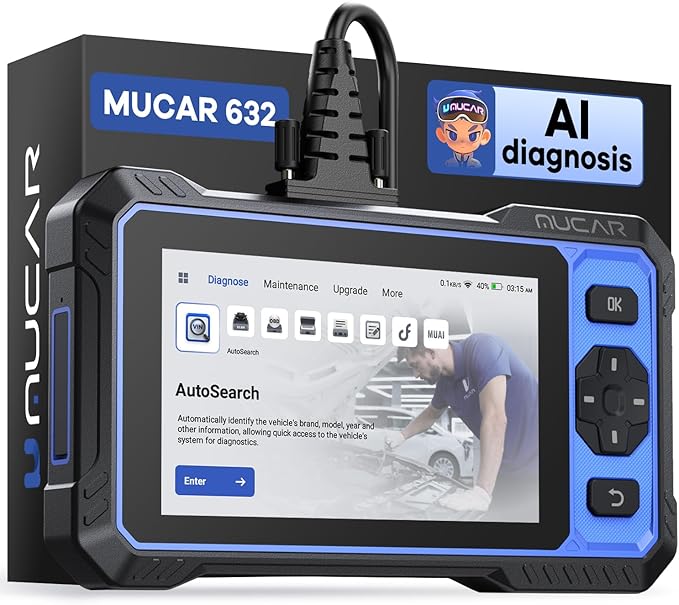 |
mucar 632 Elite AI-Assisted Bidirectional Scan Tool 15 Reset Services | Check Price |
1. XTOOL IP500
The XTOOL IP500 focuses specifically on the diagnostic architecture of General Motors platforms from 1999 through 2025. By concentrating resources on Chevrolet, GMC, Cadillac, and Buick networks, it delivers the depth typically reserved for factory-level dealership setups. Its responsive 5.45-inch touchscreen interface allows quick navigation through individual vehicle modules, eliminating cumbersome menus when you need to jump straight into active component testing.
Bidirectional functionality is where this unit excels, allowing home mechanics to send direct operational commands to onboard modules. You can command the fuel pump to activate, trigger cooling fans across variable speeds, engage the air conditioning clutch, and operate window regulators without tearing panels apart. It also handles essential mechanical adaptation routines, including crankshaft position sensor relearns, throttle calibrations, and comprehensive ABS hydraulic bleeding.
Modern General Motors platforms utilize high-speed data architecture that older scanners fail to recognize. The IP500 integrates native CAN FD protocol hardware, ensuring immediate compatibility with late-model trucks and SUVs without external adapters. Coupled with lifetime updates over Wi-Fi, it delivers long-term diagnostic capability without trapping the user in annual subscription renewals.
Pros
- Integrated CAN FD protocol supports modern GM vehicle architectures natively.
- Handles critical calibration routines like crankshaft relearns and ABS bleeding.
- Lifetime software updates via Wi-Fi eliminate recurring ownership costs.
- Deep module access across body, chassis, powertrain, and convenience systems.
Cons
- Vehicle coverage is tailored strictly to General Motors brand families.
- Touchscreen dimensions may feel compact for viewing dense live data streams.
My Opinion
If you exclusively work on General Motors trucks, cars, or SUVs, the XTOOL IP500 provides exceptional diagnostic depth. The inclusion of native CAN FD hardware and free lifetime software makes it one of the smartest investments for maintaining GM platforms from older OBD2 models up through modern releases.
2. Innova 5610 OBD2 Bidirectional Scan Tool
The Innova 5610 pairs functional bidirectional command capability with an approachable, handheld physical button design. Aimed at DIYers and working technicians who want rapid answers, it communicates across powertrain, body, ABS, and SRS networks on GM vehicles spanning 1996 to recent years. The handheld unit feels durable, featuring an intuitive layout that does not require navigating complex tablet operating systems just to pull a trouble code.
Its active test menu allows users to command functional checks quickly, such as toggling fuel pumps, activating cooling circuits, or cycling electronic parking brake calipers for pad service. Beyond basic fault retrieval, the tool displays enhanced live OEM data streams, letting you monitor critical transmission fluid temperatures, misfire counters, and wheel speed sensors in real time to locate intermittent problems.
A notable advantage of the 5610 is its ecosystem, which links directly to the RepairSolutions2 platform and provides access to US-based technical support. This pairing helps users interpret diagnostic data by comparing logged fault codes against verified fixes from certified technicians. It also avoids mandatory subscription models, ensuring the tool remains functional long after purchase without surprise maintenance bills.
Pros
- Clear physical interface combined with comprehensive bidirectional commands.
- Direct integration with verified repair databases for guided troubleshooting.
- Access to US-based customer care and technical support lines.
- Reliable enhanced live data streams for GM transmission and ABS networks.
Cons
- Screen size is smaller than tablet-based diagnostic alternatives.
- Active test availability varies significantly depending on specific model years.
My Opinion
The Innova 5610 is an outstanding choice for mechanics who prefer a traditional, durable handheld tool over an Android tablet. The combination of solid bidirectional control, responsive US-based support, and verified troubleshooting data makes it a dependable companion for GM vehicle maintenance.
3. TOPDON AD900 Lite OBD2 Scanner
The TOPDON AD900 Lite adopts an expansive modern tablet form factor, featuring an eight-inch color display powered by Android 11. Designed for users who demand comfortable live data analysis, this device allows you to graph multiple parameters simultaneously without visual clutter. The diagnostic tablet pairs with a wireless Bluetooth 5.0 VCI connector, freeing you from cumbersome cables while operating under the hood or observing live data around the bay.
In terms of bidirectional control, the AD900 Lite sends rapid commands to GM electronic control units for active component verification. You can cycle fuel injectors to pinpoint weak cylinders, run radiator fans, trigger windshield wiper motors, and actuate mirrors or window regulators. The system also packs eight essential reset functions, covering daily necessities such as throttle adaptation, oil maintenance resets, battery management registration, and automated ABS bleeding.
Powering through long diagnostic sessions is straightforward thanks to a large 10,000mAh internal battery that delivers extended operational life. The platform includes integrated fault code definition libraries that provide clear context behind difficult diagnostic trouble codes. Furthermore, the unit supports multi-brand environments, making it a viable diagnostic hub if your household includes vehicles from outside the General Motors umbrella.
Pros
- Wireless Bluetooth VCI allows complete freedom of movement around the bay.
- Expansive eight-inch high-definition screen makes graphing live parameters effortless.
- Substantial internal battery provides dependable runtimes during extensive testing.
- Broader manufacturer coverage beyond GM platforms adds versatile garage utility.
Cons
- Larger physical footprint requires dedicated protective storage in busy shops.
- Focuses on eight core reset functions rather than an extensive specialty menu.
My Opinion
For DIY mechanics who appreciate wireless freedom and a large screen for monitoring live sensor trends, the TOPDON AD900 Lite is a pleasure to operate. Its brisk operating system, wireless interface, and strong battery life make tracking down elusive GM electrical gremlins far less tiring.
4. FOXWELL NT510 Elite
The FOXWELL NT510 Elite is a dedicated diagnostic device tuned specifically for Chevrolet, GMC, Buick, and Cadillac vehicles from 1996 through recent production runs. Built with a rugged, button-operated casing, it is well suited for demanding garage environments where oily gloves and drop hazards can damage delicate glass touchscreens. It queries every accessible vehicle module, diving into engine management, transmission electronics, body control modules, and chassis subsystems.
Its standout capability on General Motors platforms is handling complex relearn routines that normally require expensive proprietary software. The NT510 Elite easily handles crankshaft position sensor variations, a mandatory procedure following sensor replacements, timing component repairs, or powertrain control module swaps. It also guides users through electronic throttle matching, ABS modulator bleeding, and steering angle sensor calibrations, saving substantial dealership labor costs.
Bidirectional actuation allows targeted component inspection across the entire vehicle body. You can pulse fuel pumps, cycle air conditioning relays, run individual door locks, and command exterior lighting to verify circuit integrity. Delivering standard 10-mode OBD2 functionality alongside deep GM-specific subsystem data, this scanner offers reliable diagnostic control without any mandatory subscription fees.
Pros
- Performs vital GM-specific procedures including crankshaft position relearns.
- Durable physical keypad holds up well against oil, grease, and shop grime.
- Full system scanning across powertrain, chassis, and body electronic modules.
- No mandatory ongoing software subscription costs for baseline GM coverage.
Cons
- Software interface feels somewhat dated compared to modern Android tablets.
- Firmware updates require connection to a personal computer rather than direct Wi-Fi.
My Opinion
If you regularly perform mechanical overhauls, sensor swaps, or timing repairs on General Motors platforms, the FOXWELL NT510 Elite is an invaluable field tool. Its ability to execute reliable crankshaft variation relearns alone justifies its spot in any GM owner’s toolbox.
mucar 632 Elite AI-Assisted Bidirectional Scan Tool 15 Reset Services
The MUCAR 632 Elite brings modern processing hardware and innovative diagnostic software to vehicle maintenance. Built around a 6.2-inch touchscreen and an efficient quad-core platform, this scanner incorporates artificial intelligence algorithms to help technicians interpret diagnostic trouble codes. By selecting a logged fault code, users receive structured troubleshooting insights and likely repair paths, streamlining the initial diagnostic phase on complex GM electronic networks.
When selecting the best bidirectional scan tool for gm vehicles, hardware architecture is vital, and the 632 Elite features native CAN FD protocol integration. This allows direct communication with the latest high-speed GM vehicle networks without external dongles. It provides bidirectional actuation over lights, solenoids, and pump circuits, backed by 15 dedicated maintenance services covering throttle matching, injector coding, DPF regeneration, and automated brake bleeding.
The device is configured with lifetime free software updates over integrated Wi-Fi, ensuring your scanner keeps pace with newer vehicle protocols without unexpected annual bills. The tool’s primary system scanning concentrates deeply on the essential core vehicle modules—engine, transmission, ABS, and SRS airbags—making it a practical, forward-looking diagnostic option for modern GM vehicle owners.
Pros
- Built-in CAN FD support connects seamlessly with modern high-speed GM networks.
- AI-assisted diagnostic engine provides actionable troubleshooting insights.
- Includes 15 dedicated maintenance reset functions for varied service tasks.
- Integrated Wi-Fi allows hassle-free, lifetime software updates at no cost.
Cons
- Deep full-system scanning is more focused on the four main vehicle systems.
- Requires a stable Wi-Fi connection to access AI troubleshooting databases.
My Opinion
The MUCAR 632 Elite is an impressive blend of modern connectivity, integrated high-speed CAN FD hardware, and AI-guided repair intelligence. It is an excellent match for home mechanics working on newer General Motors vehicles who want forward-looking protocol support without recurring subscription fees.
How I Selected These Diagnostic Tools
Selecting reliable diagnostic hardware requires balancing electronic capability, software architecture, and real-world mechanic needs. To separate underperforming code readers from genuinely functional bidirectional platforms, I applied practical criteria tailored directly to General Motors electronic architectures.
XTOOL IP500
Modern General Motors vehicles rely heavily on updated network protocols to communicate across complex electrical control modules. Traditional OBD2 tools communicate via legacy CAN networks, but newer GM platforms utilize high-speed data buses that require specific hardware compatibility.
Diagnostic tools lacking native CAN FD (Controller Area Network Flexible Data-Rate) capability cannot properly communicate with late-model GM vehicle networks without cumbersome external adapters, severely limiting their long-term garage utility.
Innova 5610 OBD2 Bidirectional Scan Tool
Reading a diagnostic trouble code only tells half the story; diagnosing an intermittent issue requires actively testing the suspected component. I evaluated tools based on their ability to command critical GM actuators, such as:
- Engaging air conditioning compressor clutch relays and variable cooling fans.
- Commanding fuel pump circuits and monitoring line pressure response.
- Cycling ABS solenoids to flush trapped air from internal brake modulators.
- Triggering body control modules to verify window motors, wipers, and locks.
TOPDON AD900 Lite OBD2 Scanner
Routine repairs on General Motors platforms frequently require sensor matching before the engine will run properly. For instance, swapping a crankshaft position sensor or replacing a timing set demands a crankshaft variation relearn. I prioritized scanners capable of executing these critical adaptation routines directly from the service menu.
FOXWELL NT510 Elite
Many professional scan tools require costly annual subscriptions ranging from $100 to over $700 per year. For independent owners, these recurring charges erode repair savings. Every scanner chosen for this lineup features free lifetime updates or perpetual software licensing, ensuring the device remains functional long after purchase.
How to Choose the Right Model for Your Needs
Selecting the best bidirectional scan tool for gm vehicles comes down to your primary repair goals, workspace requirements, and vehicle fleet. While professional shops require wide multi-brand compatibility, individual GM truck and car owners often achieve better results with dedicated, protocol-rich platforms.
- Match Your Model Year: If your vehicle is a 2020 or newer GM truck or SUV, prioritize scanners with integrated CAN FD hardware.
- Identify Routine Service Needs: Ensure the scanner supports mandatory procedures like crankshaft variation relearns or electronic parking brake retractions.
- Form Factor Preference: Choose between tactile physical keypads for dirty mechanical work or large touchscreens for intuitive multi-graph analysis.
- Fleet Compatibility: Decide whether you need a dedicated GM platform or a versatile multi-brand scanner for multiple vehicle makes.
Dedicated Brand Coverage vs. Universal Diagnostics
Dedicated tools like the XTOOL IP500 and FOXWELL NT510 Elite focus their diagnostic memory on General Motors architectures. This specialization enables deeper access into niche sub-modules—such as transfer case control modules, body electronics, and instrument clusters—at a significantly lower purchase price. Universal tools offer broader fleet flexibility, but they sometimes lack deeper active tests on specific GM platforms.
Wired Handhelds vs. Wireless Bluetooth Tablets
Wired handheld scanners draw direct power from the vehicle’s diagnostic link connector, requiring no internal battery management. They are ready to work immediately, even after sitting in a cold toolbox for months. Wireless Bluetooth tablets provide unmatched convenience, allowing you to trigger actuator tests under the hood while watching mechanical components move in real time.
Understanding General Motors Electronic Architecture
To use an advanced diagnostic tool effectively, it helps to understand the underlying computer network inside your General Motors vehicle. Modern GM platforms are essentially rolling local area networks containing dozens of interconnected computers that exchange hundreds of messages every second.
The Role of the Gateway Module
In GM platforms, the Body Control Module (BCM) or Central Gateway coordinates data traffic between high-speed networks (engine and transmission controllers) and low-speed networks (door modules, climate control, and entertainment systems). A quality bidirectional tool must be capable of translating commands through this gateway to interact with individual actuators safely.
Why CAN FD Matters for Modern Owners
Starting around the 2020 model year, General Motors transitioned several high-volume platforms to the Global B / VIP (Vehicle Intelligence Platform) architecture. This system uses CAN FD, which handles significantly more data per second than traditional CAN networks. Without native CAN FD hardware, standard diagnostic scanners will fail to communicate with primary control modules on these modern vehicles.
Essential Bidirectional Functions for GM Vehicles
Bidirectional control transforms diagnostic troubleshooting from guesswork into a methodical, step-by-step verification process. Rather than replacing parts based purely on trouble codes, active tests confirm whether an electronic circuit, relay, or motor is mechanically functioning.
Fuel System and EVAP Testing
When tracking down fuel delivery problems or rough idle complaints, a bidirectional tool allows you to command the fuel pump driver module to verify line pressure. In the evaporative emission control (EVAP) system, you can manually seal the canister vent solenoid and open the purge valve, letting you pinpoint vacuum leaks and solve stubborn check engine lights without dealership smoke machines.
Automated ABS Hydraulic Bleeding
Air trapped inside an ABS hydraulic control unit cannot be purged through traditional pedal pumping alone. When fluid drops too low or an ABS module is replaced, pedal feel becomes dangerously soft. A bidirectional tool cycles the internal solenoids and runs the return pump, forcing trapped micro-bubbles out toward the bleeder screws to restore a firm, safe brake pedal.
Crankshaft Position Variation Relearn (CASE Relearn)
On General Motors engines, the powertrain control module must precisely map the mechanical relationship between the crankshaft position sensor and the camshaft reluctor wheel. If this alignment is lost due to sensor replacement, timing chain maintenance, or PCM replacement, the engine may misfire, idle erratically, or set a permanent trouble code. A dedicated scan tool forces the computer into learning mode, re-establishing precise ignition timing.
Troubleshooting Common GM Diagnostic Communication Issues
Even with top-tier diagnostic hardware, communication errors can occur when connecting to a vehicle’s diagnostic link connector. Understanding common connection issues will save you hours of unnecessary troubleshooting.
Blown Auxiliary Cigarette Lighter Fuses
On older General Motors trucks and SUVs (particularly GMT800 platforms), pin 16 of the OBD2 diagnostic port shares a power circuit with the auxiliary cigarette lighter or accessory power outlet. If a phone charger or coin shorts out that socket, the fuse blows, cutting 12-volt battery power to pin 16. If your scan tool will not power up when plugged in, check the auxiliary power fuses under the hood first.
Network Wake-Up and Key States
Modern GM platforms require the vehicle to be in a specific ignition state to initialize bidirectional commands. Simply having the key in the accessory position is often insufficient for ECU communication. For vehicles with push-button start, you must typically press and hold the start button for roughly five to ten seconds without touching the brake pedal to engage true “Service Mode” or “Ignition On” status.
Scan Tool Maintenance and Care
An advanced diagnostic scanner is a precision electronic instrument that requires proper care to deliver years of reliable service in challenging garage environments.
- Clean the OBD2 Connector Pins: Periodically inspect the diagnostic cable pins for bent prongs, corrosion, or accumulated grease that could cause signal drops.
- Protect the Screen: Apply a screen protector to tablet-style units to prevent scratches from grit, screwdrivers, and shop debris.
- Battery Preservation: For rechargeable diagnostic tablets, avoid leaving the internal battery fully depleted for long periods; charge it every few months when not in regular use.
- Firmware Maintenance: Connect your device to Wi-Fi periodically to download vehicle software patches, protocol updates, and newly released diagnostic databases.
Common Mistakes to Avoid with GM Bidirectional Scanners
Operating bidirectional diagnostic equipment requires care, as sending direct commands to automotive computers bypasses normal electronic safety logic.
Activating actuators without verifying surrounding physical clearances can cause mechanical binding or component damage. Always clear your work area before commanding window regulators, throttle plates, or cooling fan assemblies.
Avoid these common operating errors during diagnostic sessions:
- Ignoring Battery Voltage During Relearns: Running intensive procedures like ABS bleeding or crankshaft relearns on a weak 12-volt battery can cause module communication drops and corrupt internal software. Always connect a clean battery maintainer during lengthy procedures.
- Forcing Incompatible Commands: Never attempt to force a bidirectional command if the software states that vehicle preconditions (engine temperature, transmission gear, parking brake status) have not been satisfied.
- Disconnecting Mid-Procedure: Unplugging a diagnostic cable or interrupting a wireless Bluetooth connection while the scanner is executing an active test or adaptation routine can lock up control modules.
- Assuming Full Coverage Across All Years: Bidirectional tests depend heavily on the vehicle’s specific ECU software; a test available on a 2018 truck may not exist on a 2005 car from the same manufacturer.
FAQS About Best Bidirectional Scan Tool for Gm
What is a bidirectional scan tool and why is it needed for GM vehicles?
A bidirectional scan tool sends functional commands directly to vehicle control modules rather than merely reading diagnostic trouble codes. On General Motors vehicles, it is essential for verifying whether individual components—such as fuel pumps, cooling fans, and window motors—are mechanically operational, and for executing adaptation routines like crankshaft relearns and ABS bleeding.
Can these tools perform a GM crankshaft position variation relearn?
Yes, specialized scanners such as the XTOOL IP500 and FOXWELL NT510 Elite feature dedicated routines designed to execute the GM crankshaft position variation relearn (often referred to as a CASE relearn). This procedure is required whenever a crank sensor, timing chain, or engine control module is serviced.
Do I need CAN FD protocol support for my GM vehicle?
If you own or service General Motors vehicles manufactured from 2020 to the present, CAN FD support is highly recommended. Many modern GM trucks and SUVs use this high-speed protocol, and scanners lacking integrated CAN FD hardware cannot communicate with these newer networks without external adapters.
Will a bidirectional tool clear GM airbag and ABS warning lights?
Yes. A full-system bidirectional scan tool can query, display, and clear trouble codes stored in GM supplemental restraint systems (SRS/airbags) and anti-lock braking systems (ABS), provided the underlying physical fault has been corrected.
Are there ongoing subscription fees required to use these scan tools?
The tools featured in this guide do not require ongoing subscription fees for standard operation. Devices like the XTOOL IP500, TOPDON AD900 Lite, and MUCAR 632 Elite include lifetime software updates, protecting your investment from expensive recurring charges.
Final Thoughts
Selecting the best bidirectional scan tool for gm platforms transforms complex automotive diagnostics into an efficient, precise repair workflow. Rather than guessing which component has failed, commanding electronic actuators directly and initiating necessary module relearns allows you to maintain General Motors vehicles with confidence.
For GM-focused owners and mechanics, the XTOOL IP500 remains my top overall recommendation thanks to its native CAN FD protocol, dedicated brand architecture, and free lifetime updates. If you prefer a traditional handheld layout paired with verified repair guidance and US support, the Innova 5610 stands as an exceptional alternative. Finally, for those who value wireless freedom and a large screen for monitoring live sensor graphs, the TOPDON AD900 Lite provides a powerful, versatile workstation for modern automotive repairs.