If your portable jump starter is not responding, will not charge, shows an unusual error, or refuses to operate normally, you may be wondering, how do I reset my jump starter? In many cases, a simple power cycle can restore normal operation. Some models also have a dedicated reset button, while others automatically reset after being disconnected from a power source.
The exact procedure depends on the jump starter’s design and manufacturer. Most portable lithium-ion jump starters do not require complicated resetting. Before attempting any reset, disconnect the unit from the vehicle and charger, turn it off, and inspect it for signs of physical or battery damage.
This guide explains the most common ways to reset a jump starter, what to do if it will not turn on, and how to troubleshoot charging and starting problems safely.
How Do I Reset My Jump Starter?
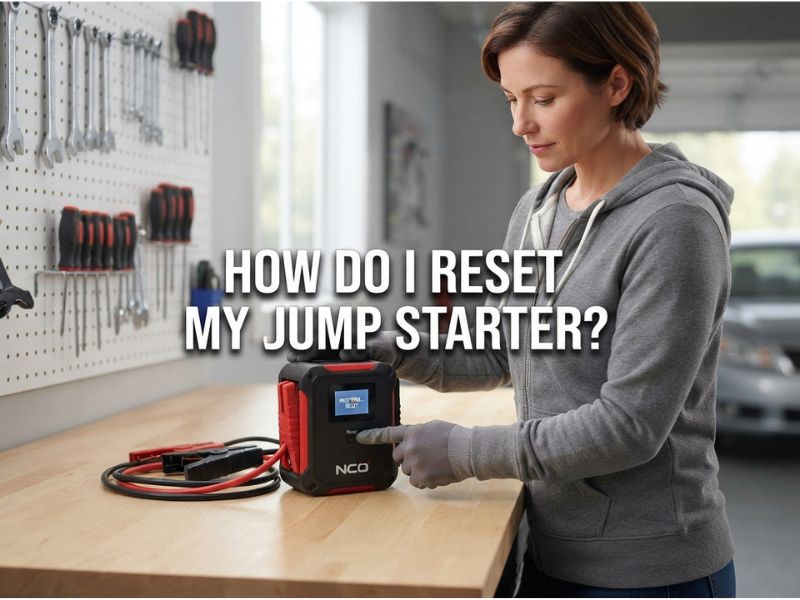
To reset a jump starter, first disconnect all cables and clamps, turn the device off, and allow it to sit disconnected for several minutes. Then turn it back on and check whether the display, indicator lights, or controls are working normally.
A basic reset usually follows these steps:
- Disconnect the jump starter from the vehicle.
- Remove the positive and negative battery clamps from the vehicle battery.
- Disconnect the jump starter from its charger.
- Turn the jump starter completely off.
- Wait for several minutes.
- Press the power button once or twice if recommended by the manufacturer.
- Turn the unit back on.
- Check the battery indicator or display.
- If necessary, recharge the jump starter using its recommended charger.
This process is essentially a power cycle. It can clear a temporary electronic fault without changing any permanent settings.
However, not every jump starter has a dedicated reset function. Some models reset automatically when power is removed.
Why Would You Need to Reset a Jump Starter?
A reset may help when the jump starter’s electronic controls have entered an unusual state.
Common symptoms include:
- Jump starter will not turn on
- Display is frozen
- LED indicators behave incorrectly
- USB output stops working
- Charging indicator does not respond normally
- Unit appears unresponsive after a jump start
- Safety protection has been triggered
- Device shuts down unexpectedly
A reset can sometimes clear a temporary electronic control fault.
However, resetting the device will not repair a physically damaged battery, defective charging circuit, broken cable, or failed internal component.
How to Reset a Jump Starter That Will Not Turn On
If your jump starter will not turn on, begin with a basic power reset.
Disconnect the unit from everything, including the vehicle battery, charger, USB devices, and other accessories.
Then hold the power button for several seconds. The exact button-holding time varies by model, so consult the manufacturer’s instructions if available.
After releasing the button, wait briefly and attempt to power the unit on again.
If nothing happens, connect the jump starter to its recommended charger and allow it to charge for an appropriate period.
A completely depleted battery may prevent the display or power button from responding immediately.
How to Reset a Jump Starter After Jump Starting a Car
Some jump starters may temporarily enter a protection mode after being used to start a vehicle.
If this happens, safely disconnect the clamps after the vehicle starts and switch the jump starter off.
Wait several minutes before turning it back on.
If the unit remains unresponsive, connect it to the recommended charging source and check the battery indicator.
Do not repeatedly attempt to start the vehicle if the jump starter is displaying an error, overheating, or behaving abnormally. Repeated high-current use can put significant stress on the internal battery and electronics.
How to Reset a Jump Starter With a Reset Button
Some jump starters may have a dedicated reset button, although the location and operation differ by manufacturer.
If your device has a reset button, look for labels such as:
- RESET
- RST
- Power/Reset
- Emergency reset
The reset button may be recessed and require a small non-metallic object to operate, depending on the model.
Do not insert sharp metal objects into the device or attempt to access internal electronics.
Before pressing a reset button, check the manufacturer’s manual to determine exactly what the button does. On some devices, a button may be used for a specific operating mode rather than a complete factory reset.
How to Reset a Jump Starter Without a Reset Button
Many portable jump starters do not have a dedicated reset button.
In that situation, perform a manual power cycle.
Disconnect the clamps and charging cable, switch the unit off, and leave it disconnected for several minutes. Then turn it back on and check the indicators.
If the unit still does not respond, charge it using the manufacturer’s recommended charging method.
This is often the simplest reset procedure for a basic portable jump starter.
Can You Reset a Jump Starter by Removing the Battery?
You should generally not remove the internal battery just to reset a jump starter.
Most modern portable jump starters use a sealed lithium-ion battery pack. Opening the enclosure can expose you to electrical hazards and can damage the battery or protective circuitry.
A lithium battery can also become dangerous if punctured, short-circuited, crushed, or improperly handled.
If a reset does not solve the problem, use the manufacturer’s troubleshooting procedure or contact the manufacturer rather than opening the device yourself.
How to Reset a Jump Starter That Is Not Charging
If the jump starter will not charge, a reset may help, but you should troubleshoot the charging system first.
Start by checking the:
- Charging cable
- Power adapter
- Charging port
- Electrical outlet
- Battery indicator
- Recommended input voltage
Disconnect the charger and turn the unit off. Wait several minutes before reconnecting the recommended charging equipment.
If the charging indicator remains completely inactive, try a known-good compatible charger or cable if the manufacturer permits it.
Do not use a charger simply because its connector physically fits. The voltage and charging specifications must also be compatible.
Why Is My Jump Starter Stuck in Protection Mode?
Many modern jump starters contain electronic safety protection circuits.
These systems can protect the device against conditions such as:
- Reverse polarity
- Short circuits
- Excessive current
- Overheating
- Overcharging
- Excessive battery discharge
When protection mode is triggered, the unit may stop providing power.
In some cases, disconnecting the clamps and switching the unit off allows the protection circuit to reset automatically.
For example, if the clamps were connected incorrectly, immediately disconnect them and turn the jump starter off. Do not repeatedly reconnect the device while the error condition remains.
The correct reset procedure depends on the model.
How to Reset a Jump Starter After Reverse Polarity
If the jump starter detected reverse polarity, disconnect it from the vehicle immediately.
Do not continue attempting to start the engine while the positive and negative connections are incorrect.
Once the clamps are disconnected, switch the jump starter off and allow it to reset.
Inspect the clamps and vehicle battery terminals before reconnecting them.
When reconnecting, verify that the positive clamp is connected to the positive battery terminal and the negative clamp is connected to the appropriate negative terminal or manufacturer-specified grounding point.
Some jump starters automatically detect polarity problems, while others require a specific procedure.
Does Resetting a Jump Starter Erase the Battery?
No. A normal power reset does not erase the energy stored in the jump starter’s battery.
The jump starter’s rechargeable battery continues to hold its available charge.
A reset primarily restarts the device’s electronic control system.
However, if the jump starter has a very low battery, the reset process may not solve the problem because the unit simply does not have enough stored energy to operate.
In that situation, charging the device is more important than repeatedly resetting it.
Does Resetting a Jump Starter Fix a Bad Battery?
No. Resetting cannot repair a degraded or damaged battery.
If the jump starter repeatedly:
- Loses charge quickly
- Will not reach full charge
- Shuts down under load
- Provides very little starting power
- Takes unusually long to charge
- Shows inconsistent battery readings
the internal battery may have reached the end of its useful life.
A reset can address a temporary electronic problem, but it cannot restore lost battery capacity.
How to Reset a Jump Starter That Shows an Error
If your jump starter displays an error code, first identify what the code means.
Different manufacturers use different error codes and warning indicators. An error may indicate a low battery, incorrect clamp connection, excessive temperature, short circuit, reverse polarity, or another protection condition.
Before resetting:
- Disconnect the vehicle clamps.
- Turn the jump starter off.
- Disconnect the charging cable.
- Allow the device to cool if it is warm.
- Wait several minutes.
- Restart the unit.
- Check whether the error has disappeared.
If the same error returns, do not repeatedly reset the device without identifying the cause.
The error code may be indicating a genuine electrical or battery problem.
Can You Reset a Jump Starter While It Is Charging?
It is generally better to disconnect the charger before performing a basic reset, unless the manufacturer’s instructions specifically say otherwise.
Turn the unit off, unplug the charging cable, and allow the electronics to shut down completely.
After the reset, reconnect the correct charger and monitor the charging indicator.
This avoids unnecessary interaction between the reset procedure and the charging system.
What Should You Do If the Reset Does Not Work?
If resetting the jump starter does not solve the problem, determine whether the issue is related to the battery, charger, cable, vehicle, or internal electronics.
Try these troubleshooting steps:
Check the Battery Level
A jump starter with an extremely low battery may not power on or operate correctly.
Recharge it using the recommended charger.
Check the Charging Equipment
A defective USB cable, USB-C cable, AC adapter, or charging cable can make the jump starter appear faulty.
Inspect the Charging Port
Look for dirt, damage, or a loose connection.
Do not force a connector into the port.
Let the Unit Cool
If the jump starter was recently used, allow it to cool before trying again.
High temperatures can trigger thermal protection.
Check the Vehicle Battery
If the jump starter turns on normally but cannot start your car, the problem may not be the jump starter.
A severely damaged vehicle battery, poor electrical connection, starter problem, or other vehicle fault can prevent the engine from starting.
How to Tell If Your Jump Starter Is Dead
A jump starter may be considered defective or at the end of its useful life if it does not respond after proper charging and troubleshooting.
Possible signs include:
- No lights or display after charging
- Battery refuses to hold a charge
- Device repeatedly shuts off
- Charging never completes
- Internal battery becomes swollen
- Device becomes abnormally hot
- Burning or unusual chemical smell
- Jump-start function consistently fails
If you notice battery swelling, leaking, smoke, unusual heat, or physical damage, stop using the device.
Do not attempt to reset or repair a physically damaged lithium-ion battery.
How Often Should You Reset a Jump Starter?
You should not need to reset a properly functioning jump starter regularly.
A reset is a troubleshooting step rather than routine maintenance.
If you find yourself resetting the device frequently, there may be an underlying problem with the battery, charging system, protection circuit, cable, or electronics.
Repeated resets should not be used as a substitute for diagnosing a persistent fault.
Does Resetting Affect Jump Starter Battery Life?
A normal power cycle has little effect on battery life compared with actually using the jump starter to crank an engine.
However, repeatedly draining and recharging the battery unnecessarily can contribute to normal battery cycle wear over time.
Use the reset function only when necessary and follow the manufacturer’s maintenance recommendations.
Safety Precautions Before Resetting a Jump Starter
Before troubleshooting any portable jump starter, prioritize safety.
Never attempt to reset a unit that is:
- Swollen
- Cracked
- Leaking
- Smoking
- Extremely hot
- Producing an unusual odor
- Showing signs of internal battery damage
Keep the jump starter away from water and conductive metal objects.
Do not short-circuit the clamps or deliberately connect them incorrectly to test the protection system.
If a lithium-ion battery appears damaged, discontinue use and follow the manufacturer’s instructions for safe handling and disposal.
When Should You Replace Your Jump Starter?
If your jump starter is several years old and repeatedly develops charging or performance problems, replacement may be more practical than troubleshooting it indefinitely.
Battery capacity naturally declines over time.
Consider replacing the unit if it:
- No longer holds a useful charge
- Cannot provide enough starting power
- Frequently enters protection mode without an obvious cause
- Has a damaged charging port
- Has a swollen battery
- Shows repeated internal errors
- Cannot be safely operated
A jump starter is emergency equipment. Reliability is more important than continuing to use an unreliable older unit.
Final Answer: How Do I Reset My Jump Starter?
So, how do I reset my jump starter? In most cases, start by disconnecting the jump starter from the vehicle and charger, switching it off, waiting several minutes, and then turning it back on. If your model has a dedicated reset button, follow the manufacturer’s instructions for using it.
If the jump starter still does not work, check its charge level, charging cable, adapter, charging port, temperature, and error indicators. A reset can clear a temporary electronic fault, but it cannot repair a damaged lithium-ion battery, defective charging circuit, broken cable, or other hardware failure.
Never open a jump starter or attempt to remove its internal battery simply to perform a reset. If the device is swollen, leaking, excessively hot, smoking, or otherwise damaged, stop using it and follow the manufacturer’s safety guidance.
For the most reliable result, always use the reset and troubleshooting procedure specified for your particular jump starter model.