
If you own a portable jump starter, knowing how to charge it properly is essential for keeping it ready when your car battery dies. In most cases, you can charge a jump starter using a wall adapter, USB charger, USB-C cable, or 12V car charger, depending on the model. The exact charging method and time vary by battery capacity and manufacturer.
A jump starter contains a rechargeable lithium-ion battery or, in some older models, a different type of rechargeable battery. Keeping the internal battery adequately charged ensures that the unit can provide enough power for an emergency engine start.
This guide explains how to charge jump starter devices correctly, how long charging usually takes, what the indicator lights mean, and how to avoid common charging mistakes.
How to Charge Jump Starter
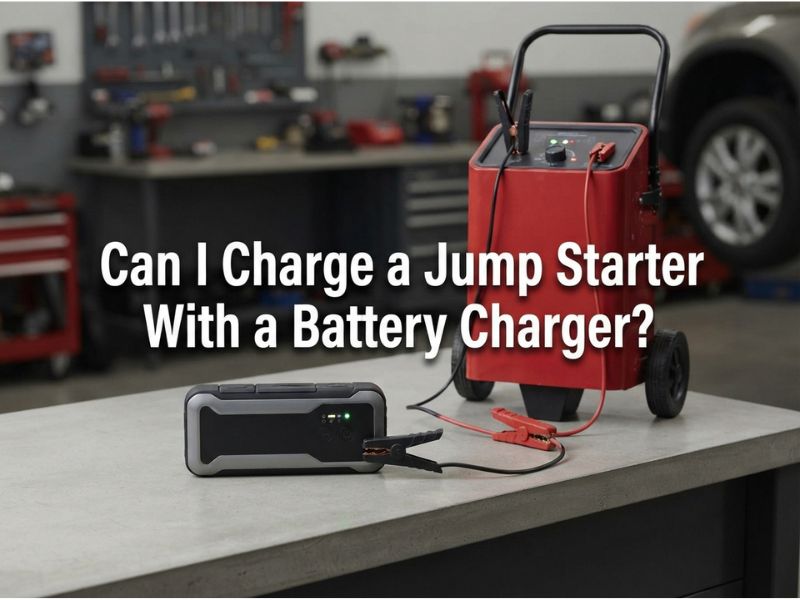
To charge a jump starter, connect the appropriate charging cable or adapter to the unit’s designated charging port and plug it into a compatible power source. Allow the battery to charge until the indicator shows that it is full or the manufacturer’s instructions indicate charging is complete.
The basic process is:
- Turn off the jump starter if the model has a power switch.
- Locate the charging input port on the device.
- Connect the supplied charging cable or compatible charger.
- Plug the other end into a suitable power outlet, USB adapter, USB-C charger, or 12V vehicle socket.
- Check the charging indicator or display.
- Allow the jump starter to charge fully.
- Disconnect the charger when charging is complete.
Always use the charger and cable recommended by the manufacturer whenever possible. Using an incompatible power adapter can cause slow charging, overheating, or damage to the device.
What Charger Do You Need for a Jump Starter?
The charger required depends on the jump starter’s design. Different models may use USB-C, micro-USB, DC input, or a dedicated charging adapter.
Modern jump starters commonly use USB-C because it supports faster and more convenient charging. Some compact units can be charged with a standard USB wall adapter, while larger models may include a dedicated AC adapter.
Before connecting a charger, check the specifications printed on the jump starter or provided in its manual. Pay attention to the required input voltage, current, and connector type.
Do not assume that every USB-C charger or power adapter will provide the same charging performance. The device determines how much power it can safely accept.
Can You Charge a Jump Starter With a Wall Charger?
Yes, many portable jump starters can be charged with a wall charger. This is usually one of the easiest charging methods when you are at home.
If the jump starter supports USB charging, connect its charging cable to a compatible USB wall adapter. For models that include a dedicated AC charger, connect that charger directly to a household electrical outlet.
A wall charger is generally more convenient than charging from a vehicle because it can provide a stable power source while the vehicle is parked.
However, always check the manufacturer’s recommended charging specifications before using a third-party adapter.
Can You Charge a Jump Starter in Your Car?
Many jump starters can be charged inside a vehicle using a 12V car charging adapter or compatible USB port.
This can be useful when you are traveling and do not have access to a household outlet. Connect the charging cable to the appropriate charging input on the jump starter and then connect the other end to the vehicle’s USB port or 12V accessory socket.
Charging through a car can take longer than using a suitable wall charger, particularly if the vehicle’s USB port provides limited power.
You should also avoid leaving the jump starter in an extremely hot vehicle while charging. High temperatures can negatively affect rechargeable batteries and may create a safety risk.
How Long Does It Take to Charge a Jump Starter?
A jump starter may take anywhere from a few hours to more than 10 hours to fully charge, depending on its battery capacity, charging technology, battery condition, and power source.
Small jump starters with modern USB-C fast charging can often recharge relatively quickly. Larger units with higher-capacity batteries may require considerably more time.
For the most accurate charging time, follow the manufacturer’s specifications rather than relying on a fixed number.
Factors that affect charging time include:
- Battery capacity
- Charger output
- Charging cable
- USB-C or other charging technology
- Remaining battery percentage
- Battery age and condition
- Ambient temperature
For example, a jump starter that is nearly empty will naturally take longer to charge than one that still has 50% battery capacity remaining.
How Do You Know When a Jump Starter Is Fully Charged?
Most jump starters have a battery indicator, LED lights, LCD display, or another charging-status indicator.
Depending on the model, a fully charged unit may show:
- Four illuminated battery bars
- A 100% battery reading
- A solid green indicator
- A full battery icon
- A charging light that stops flashing
The meaning of the indicators varies between manufacturers. Therefore, check the user manual if you are unsure whether the jump starter has reached full capacity.
Do not rely solely on the color of an LED unless the manufacturer explains what that indicator means.
Can You Leave a Jump Starter Charging Overnight?
Whether you can leave a jump starter charging overnight depends on the device and its charging system.
Many modern jump starters include overcharge protection and charging management systems that reduce the risk of overcharging. However, it is still best practice to follow the manufacturer’s charging instructions rather than routinely leaving the unit connected indefinitely.
For regular maintenance, charge the jump starter until it reaches the recommended full charge, then disconnect it if the manufacturer advises doing so.
Also place the device on a dry, hard, well-ventilated surface while charging. Avoid covering it with clothing, blankets, or other materials that could trap heat.
How Often Should You Charge a Jump Starter?
A jump starter should be checked and recharged periodically, even if you have never used it.
A portable jump starter slowly loses charge while sitting in storage. The rate depends on the battery, electronics, temperature, and overall condition of the device.
Many manufacturers recommend checking the battery every few months and recharging it when necessary. If you keep a jump starter in your vehicle for emergencies, regular inspection is particularly important.
You do not want to discover that the jump starter is nearly empty when your car battery is already dead.
Should You Fully Charge a Jump Starter Before Using It?
Yes. Ideally, a jump starter should have a high battery charge level before you need it for emergency starting.
A jump starter does not need to be completely full to start every vehicle, but the available starting power depends on the remaining battery capacity and the vehicle’s requirements.
For maximum reliability, keep the unit charged according to the manufacturer’s recommended storage level. Before a long road trip, check the battery indicator and recharge the device if necessary.
Can a Jump Starter Charge a Car Battery?
A jump starter and a battery charger serve different purposes.
A jump starter is primarily designed to provide a large amount of electrical power for a short period so the vehicle’s starter motor can crank the engine. It is not normally designed to fully recharge a discharged car battery.
After successfully starting the vehicle, the alternator can recharge the vehicle battery while the engine is running, although the amount and rate of charging depend on the vehicle and battery condition.
If you need to restore a deeply discharged battery, a dedicated automotive battery charger or maintainer is generally more appropriate than a jump starter.
How to Charge a Jump Starter With USB-C
If your jump starter has a USB-C input, charging is relatively straightforward.
First, identify the USB-C port labeled for input or charging. Connect a compatible USB-C cable and power adapter. Then monitor the device’s charging indicator.
Some USB-C jump starters support higher charging power and may recharge much faster with an appropriate adapter. Others accept only a limited amount of power, even when connected to a high-output charger.
Therefore, a powerful USB-C adapter does not necessarily mean the jump starter will charge at the maximum adapter output. The jump starter’s internal charging circuit controls the power it accepts.
Can You Charge a Jump Starter With a Phone Charger?
Sometimes, yes.
If the jump starter uses a compatible USB or USB-C charging input, a phone charger may be able to charge it. However, compatibility depends on the charger output, cable, connector, and requirements of the jump starter.
A standard phone charger may also charge the jump starter more slowly than the original adapter.
Before using one, check the charging specifications for both devices. If the manufacturer provides a dedicated charger, using that charger is generally the safest option.
Why Is My Jump Starter Not Charging?
If your jump starter is not charging, several things could be responsible.
First, check the charging cable and power adapter. A damaged cable, loose connector, or faulty adapter can prevent the battery from receiving power.
Next, try a different compatible power outlet or charging source. If the unit uses USB charging, inspect the charging port for dust or physical damage.
Other possible causes include:
- Completely depleted battery
- Damaged charging cable
- Incompatible power adapter
- Faulty charging port
- Internal battery failure
- Extreme temperature
- Charging circuit problem
If the jump starter becomes unusually hot, produces a strange smell, swells, leaks, or shows other signs of battery damage, stop charging it and follow the manufacturer’s safety instructions.
Why Does My Jump Starter Take So Long to Charge?
Slow charging does not always mean that the jump starter is defective.
A large-capacity battery naturally requires more energy to reach full charge. Charging through a low-power USB port can also take considerably longer than using the recommended adapter.
An old battery may also charge more slowly or fail to reach its original capacity.
If charging time suddenly becomes much longer than the manufacturer’s stated range, inspect the cable, charger, charging port, and battery condition. Persistent charging problems may indicate that the unit needs service or replacement.
How to Maintain a Jump Starter Battery
Proper maintenance can help preserve the rechargeable battery and ensure the jump starter is ready when needed.
Store the unit in a cool, dry location away from excessive heat and moisture. Avoid storing it for long periods with an extremely low charge.
Check the battery indicator periodically and recharge the unit according to the manufacturer’s recommendations.
If you keep the jump starter inside your vehicle, remember that parked cars can become extremely hot or cold. Extreme temperatures can affect battery performance and lifespan.
For emergency equipment that may sit unused for months, periodic inspection is more important than simply assuming the battery is ready.
Safety Tips When Charging a Jump Starter
Charging a jump starter is generally simple, but rechargeable batteries should always be handled carefully.
Use these basic precautions:
- Use the manufacturer’s recommended charger whenever possible.
- Check the input voltage and charging specifications.
- Do not use visibly damaged cables or connectors.
- Keep the device away from water and excessive moisture.
- Charge it in a well-ventilated area.
- Do not cover the unit while charging.
- Keep it away from excessive heat.
- Stop charging if the battery becomes abnormally hot, swollen, or damaged.
- Keep damaged lithium batteries away from normal household waste and follow local disposal requirements.
Never attempt to open or repair a damaged lithium battery yourself.
Does a Jump Starter Need to Be Fully Charged to Jump a Car?
Not necessarily, but having a fully charged jump starter gives you the best chance of successfully starting a vehicle.
The amount of energy required depends on the vehicle’s engine size, battery condition, temperature, and the jump starter’s rated starting current.
A small vehicle with a moderately discharged battery may require less starting assistance than a large engine with a severely depleted battery.
Before attempting a jump start, check the jump starter’s battery level and confirm that its specifications are suitable for your vehicle.
How to Store a Fully Charged Jump Starter
After charging, store the jump starter according to the manufacturer’s recommendations.
Keep it somewhere dry and protected from extreme temperatures. Avoid leaving it exposed to direct sunlight or storing it in conditions that are significantly hotter or colder than recommended.
If the device has an internal lithium-ion battery, proper storage conditions are particularly important for long-term battery health.
Before storing the unit for an extended period, check the manufacturer’s instructions regarding the recommended storage charge level.
Final Answer: How to Charge Jump Starter
Learning how to charge jump starter devices is straightforward: use the correct charging port, connect a compatible charger or cable, and allow the battery to reach the recommended charge level. Depending on the model, you may be able to use a wall charger, USB-C adapter, USB cable, or 12V car charger.
Charging time varies according to battery capacity, charger output, and the jump starter’s charging technology. For the best performance and battery life, follow the manufacturer’s specifications, periodically check the battery level, and store the device away from extreme temperatures.
Most importantly, remember that a jump starter is primarily an emergency starting device, not a replacement for a dedicated car battery charger. Keeping it properly charged ensures it is ready when you actually need it.